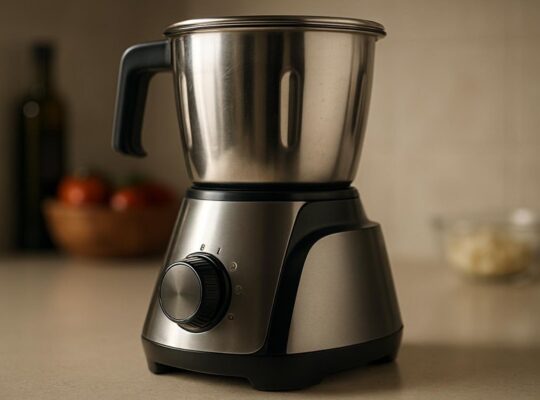
You should monitor blades regularly and replace them as soon as you see chips, cracks, warping, missing teeth, heavy rust, or persistent dullness that sharpening won’t fix. Stop use immediately if you notice vibration, burning, ragged cuts, or kerf wander; these are safety and performance failures. Always disconnect power, inspect mounts and guards, and keep records—there’s more on deciding between sharpening and full replacement.
Key Takeaways
- Replace blades immediately if you see cracks, large chips, severe rust, or any structural damage.
- Replace when cuts show burning, tearing, increased feed force, or wandering despite proper setup.
- Replace if vibration, wobble, or audible chatter appears during a short test cut.
- Replace when teeth are rounded, missing, or edge wear exceeds manufacturer-specified sharpening limits.
- Replace blades that fail balance checks, have thermal discoloration, or no longer match arbor/RPM/material specifications.
How to Recognize a Dull or Damaged Blade
How can you tell when a blade’s past its safe working life? Start with a visual inspection: look for nicks, chips, bends, rust, or missing teeth. Hold the blade level and spin it slowly by hand; wobble or uneven rotation signals warping. Check the edge with a fingernail or a dedicated sharpness tester—if the tip slides instead of catching, the edge’s compromised. Smell and residue matter: burnt or discolored areas indicate overheating or material breakdown. Listen during a short test cut at low speed; unusual vibration, chattering, or inconsistent feed resistance shows diminished performance. Measure critical dimensions against manufacturer specs—thickness, tooth height, and runout—using calipers and a dial indicator. Record findings and mark blades that fail any check. If you can’t verify condition confidently, remove the blade from service and tag it for professional inspection or replacement. Always de-energize equipment and use protective gloves and eye protection during checks. Also consider the appliance’s motor and jar design, especially torque and cooling, when deciding whether to replace blades, since higher torque and better venting can affect blade wear.
Safety Risks of Using Worn Blades
Why risk it? You’re increasing hazard every time you use a worn blade. Dull or damaged blades require more force, causing slips, kickback, and loss of control. That raises the chance of serious cuts, amputations, or being struck by broken fragments. Vibration from a compromised blade can fatigue your grip and hide dangerous balance shifts, leading to mistakes.
Follow these safety steps: stop using any blade that chips, cracks, bends, or vibrates unusually. Disconnect power or spark plug before inspecting or changing blades. Wear cut-resistant gloves, eye protection, and sturdy footwear when handling blades. Secure the tool so the blade can’t move while you work on it. Replace blades rather than repeatedly attempting risky repairs; a proper replacement restores designed balance and reduces unexpected failures.
Don’t assume minor damage is harmless—unseen metal fatigue can make blades fail catastrophically. Err on the side of replacement to protect yourself and bystanders. Consider choosing blades and tools with advanced noise reduction and vibration-dampening designs to reduce operational stress and improve safety during use.
Signs Specific to Lawn Mower and Garden Tool Blades
After you’ve covered general risks, look for blade issues unique to lawn mowers and garden tools that demand immediate replacement. Inspect blades for cracks, bends, or missing chunks — any structural damage can shatter under load and throw fragments. Check for excessive dulling: if cutting produces ragged grass, tears stems instead of clean cuts, or requires multiple passes, replace the blade. Look for severe corrosion or pitting that compromises metal thickness; thin, flaking edges won’t hold an edge and can fail. On multi-piece tools, verify welded or bolted joints for fatigue or loosening; don’t repair compromised joints, replace the blade assembly. Balance-check mower blades by spinning or using a balancer; heavy imbalance indicates uneven wear or repair damage and raises vibration risks. Finally, after impact with rocks or roots, stop and inspect immediately — hidden internal fractures are common. Also consider blade material and coating—stainless steel blades resist corrosion and generally last longer under heavy use.
When to Replace Kitchen and Chef’s Knives
Check the blade’s cutting performance regularly — if it won’t slice cleanly or requires excessive force, it’s time to sharpen or replace it. Inspect for chips, cracks, loose handles, or bent tips, and stop using any knife with structural damage. Always replace damaged knives immediately to prevent slips and accidental injury. Consider replacing or upgrading kitchen tools based on safety features and warranty coverage to ensure reliable, long-lasting performance.
Dullness and Cutting Performance
When your chef’s knife stops slicing cleanly and you find yourself pressing harder or sawing rather than cutting, it’s time to evaluate blade dullness and cutting performance; continuing to use a dull knife increases the risk of slips and uneven cuts. Check edge feel by running a clean finger pad perpendicular to the edge — don’t swipe along it. Test with paper or a tomato: a sharp blade slices smoothly with minimal force. If performance fails these basic tests, sharpen or replace the blade.
| Test | Expected Result |
|---|---|
| Paper slice | Clean drop |
| Tomato skin | Glides, no crushing |
Prioritize sharpening when safe; replace if sharpening won’t restore a reliable, consistent edge. A high-quality appliance with robust motor can help prevent excessive wear on kitchen tools by reducing the need for forceful cutting.
Damage and Structural Issues
How badly is the blade or handle damaged? Inspect for chips, cracks, bends, loose bolsters, or a wobbling tang. If the edge has deep nicks or a visible fracture, stop using the knife — those faults can catch food and cause slips. Check the handle for splits, missing rivets, or separation from the blade; a compromised grip increases cut risk. Test blade straightness on a flat surface; a warped blade won’t cut predictably. Minor chips may be repairable by a professional sharpener, but structural cracks or a detached handle mean replacement. When in doubt, prioritize safety: don’t try to jury‑rig a damaged knife. Dispose of broken blades safely or take them to a certified repair or recycling service. For knives used heavily or in professional kitchens, consider also checking motor and attachment compatibility if you use powered sharpeners or grinders to avoid damaging the blade or equipment, especially when matching to higher-wattage appliances.
Replacement Timing for Hair Clippers and Razor Blades
Check your clippers and razors regularly for dullness or tugging—if they pull hair instead of cutting cleanly, replace the blades to prevent nicks and skin irritation. Inspect for rust or corrosion; any discoloration or rough spots mean the blade’s integrity is compromised and it should be discarded. Always replace blades immediately if you notice either issue to protect skin health and ensure effective cutting. Excessive vibration or noise can also indicate worn components like imbalanced blades, which should prompt replacement.
Dullness and Tugging
Anytime you start feeling increased drag, pulling, or uneven cutting, it’s time to inspect and likely replace the blades. Check for reduced cutting performance by running the tool on a small, low-risk area: if hair or material tugs instead of slicing cleanly, stop immediately. Power down, unplug, and remove the blade per manufacturer instructions before inspecting. Look for nicked edges, rounded teeth, or gaps between cutting surfaces. If lubrication and alignment don’t restore smooth operation, replace the blade to prevent skin nicks, irritation, or machine strain. After fitting a new blade, test at low speed, maintain proper cleaning and oiling, and store blades dry and covered. Prioritize replacement over continued use when tugging is present to ensure user safety. Regular maintenance—cleaning, drying, and light oiling of blades—helps extend service life and prevent dullness and corrosion.
Rust and Corrosion
When should you replace blades that show rust or corrosion? If you see any rust, pitting, discoloration, or flaking on clipper or razor blades, stop using them immediately. Rust compromises edge integrity, creates rough cutting surfaces, and increases risk of cuts and infection. Don’t try to sand or polish heavily corroded blades for reuse—surface damage can hide microburrs and bacteria. For safety, dispose of visibly corroded blades and replace with new, manufacturer-recommended parts. After replacement, implement preventative care: dry blades thoroughly after cleaning, apply light oil to clipper blades, store blades in a dry, ventilated case, and avoid saline or acidic solutions that accelerate corrosion. If you’re uncertain about contamination, err on the side of replacement. Higher RPMs can increase frictional heat and accelerate corrosion if blades are already compromised, so avoid prolonged runs on corroded blades and monitor temperature closely, especially with frictional heat.
When Power Saw and Circular Saw Blades Need Swapping
How will you know it’s time to swap a power saw or circular saw blade? Watch for reduced cutting speed, burning or charring on wood, chatter or vibration, and increased feed force. If teeth are visibly rounded, chipped, or missing, stop and inspect the blade. Also replace blades if the kerf has widened or cuts wander despite proper alignment.
Always disconnect power and follow lockout procedures before changing blades. Use gloves and eye protection during handling to avoid cuts and debris. Match the replacement blade to your saw’s RPM rating, arbor size, and material type—don’t force a blade that doesn’t fit. Check blade balance and runout after installation; excessive wobble indicates damage or improper seating.
Keep a maintenance log of blade hours and tasks; blades used for plywood, treated lumber, or nail-embedded materials will need swapping sooner. When in doubt, replace: a dull blade raises kickback risk and reduces control, so prioritize safety over saving a marginal blade. Consider choosing blades with overload protection and clear safety indicators to reduce motor and user risk when cutting demanding materials.
Metalworking, Cutting Tools, and Industrial Blade Wear Indicators
Power-tool blade signs carry over to industrial metalworking, but you’ll also watch for wear patterns specific to cutting tools: flank wear, crater wear, notch formation, and progressive edge rounding on carbide or HSS edges. Inspect blades before each shift under good light; use magnification to detect micro-chipping and edge rolling. Measure flank and crater depths against manufacturer limits; document readings and retire tools that exceed tolerances. Look for thermal discoloration or built-up edge, which signal overheating and reduced cutting integrity. Notches and uneven wear indicate vibration, feed problems, or incorrect geometry—address root cause and remove the blade from service. For multi-tooth cutters, track the number of worn teeth versus serviceable teeth and replace when balance or cutting force is compromised. Always lock out equipment, wear eye and hand protection, and handle blades by non-cutting surfaces. Keep a replacement log and use labeled quarantine bins for blades pending inspection to prevent accidental reuse of unsafe tools.
Sharpening vs. Replacing: How to Decide
Check the blade against the manufacturer’s edge wear limit and don’t attempt to sharpen if the edge is below that spec. Inspect for metal damage—chips, cracks, or warping mean you should replace the blade for safety. If the cost and downtime of repeated sharpening exceeds the performance or life gained, replace the blade.
Edge Wear Limit
When should you sharpen a blade and when should you replace it? Check the edge wear limit by measuring bevel thickness and inspecting edge geometry. Use calipers or a gauge to record current edge thickness and compare it to the manufacturer’s minimum; if thickness exceeds that limit, replace the blade. Visually confirm the edge line—if the bevel is rounded beyond recovery, don’t attempt further sharpening. Track cumulative material removed during prior sharpenings; once removal approaches the blade’s usable allowance, schedule replacement. Always de-energize equipment and wear cut-resistant gloves and eye protection when measuring or handling blades. Document measurements and replacement dates so you can follow a safe maintenance interval rather than relying on guesswork.
Metal Damage Signs
Metal damage signs tell you whether a blade can be restored by sharpening or needs replacement; inspect for chips, cracks, burns, or material loss along the cutting edge and body. Start by de-energizing equipment and using protective gloves and eye protection. Clean the blade to reveal defects, then use a magnifier or bright light to spot hairline cracks or heat discoloration. Tap the blade lightly with a non‑magnetic pick to detect hidden breaks or delamination. Measure material loss against manufacturer tolerances; if loss compromises edge geometry or structural integrity, replace. Small chips can be ground out and reprofiled if enough stock remains. Anything indicating fracture, severe burn, or internal separation means you must remove the blade from service immediately. Document findings and tag defective blades.
Cost vs. Performance
How do you decide whether to sharpen or replace a blade? Start by inspecting edge condition, metal damage, and alignment. If only dullness is present, sharpening restores cutting ability safely and cheaply. If chips, cracks, or warped sections exist, replacement is safer despite higher immediate cost.
Next, calculate total cost: sharpening labor, downtime, and expected remaining life versus purchase plus disposal. Factor safety: a marginal savings isn’t worth risking failure. For critical or high-speed tools, lean toward replacement sooner.
Document each cycle: date, work performed, measurable edge angle and thickness, and performance outcome. Follow manufacturer limits for sharpening count. When performance or safety metrics fall below acceptable thresholds, replace immediately to protect users and equipment.
Best Replacement Schedules and Maintenance Routines
Want a simple plan you can follow to keep blades safe and effective? Set a baseline schedule: inspect blades before each use, perform a light maintenance check weekly, and replace according to use intensity—every 1–3 months for heavy use, 3–12 months for light use. Keep a log noting date, hours used, material cut, and visible wear to detect patterns.
Daily routine: visually inspect for chips, cracks, corrosion, and burrs; clean debris and dry thoroughly; confirm guard and mounting hardware are secure. Weekly routine: hone or sharpen if applicable, apply recommended lubricant, and measure edge geometry against manufacturer specs. Monthly routine: perform a more thorough inspection with magnification, test balance, and check alignment with the tool.
Retire blades immediately if you detect structural damage, excessive wobble, or repeated rework needs. Store blades in a dry, labeled case to prevent damage. Follow lockout procedures during maintenance and wear appropriate PPE at all times.
Choosing the Right Replacement Blade for Performance and Safety
Which blade fits your tool and task best? Identify the blade type specified by your tool’s manufacturer first—diameter, arbor size, tooth count, and RPM rating must match. Match material to work: choose carbide-tipped or diamond for hard materials, high-speed steel for general cutting, and fine-tooth blades for finish work. Inspect blade condition before installation; never use warped, cracked, or dull blades even if dimensions fit. Verify blade guard clearance and that mounting surfaces are clean and flat. Torque arbor nut to the specified value and secure with the proper washer or flange orientation. Wear appropriate PPE and keep bystanders clear during first test cut. Record blade type and purchase date so you can track life relative to cutting hours and material type. Replace proactively if cutting quality drops, vibration increases, or safety features cease functioning. Proper selection and installation reduce kickback, overheating, and material damage.
Frequently Asked Questions
How Do Environmental Conditions Affect Blade Corrosion and Lifespan?
Environmental humidity, salt, chemicals and temperature swings accelerate blade corrosion and reduce lifespan; you should inspect blades frequently, dry and store them properly, apply protective coatings, and replace any showing pitting, cracking, or significant material loss.
Can Blade Failure Be Covered by Homeowners or Tool Insurance?
Yes — you can be covered, but it depends. Check your homeowners or tool insurance policy for accidental damage, wear exclusions, and maintenance clauses. Document failures, file timely claims, and follow safety/maintenance guidelines to support coverage.
Are There Eco-Friendly Options for Disposing of Old Blades?
Yes — you can recycle metal blades and repurpose parts. Bag and label used blades, check local scrap or blade-recycling programs, use blade-drop bins, or contact manufacturers for take-back; always wear gloves and secure edges.
Do Blade Materials Differ in Hygiene for Food-Prep vs. Outdoor Use?
Yes — stainless steel and ceramic resist corrosion and are safer for food prep; carbon steel or coated blades can rust or contaminate outdoors. Clean, dry, sanitize food blades; store outdoor blades dry and oil lightly for safety.
Can Vibration or Motor Issues Mimic Blade Dullness?
Yes — vibration or motor issues can mimic dullness. You’ll check mounting, bearings, balance, and motor load; you’ll stop use, unplug, inspect for looseness or damage, then repair or replace components before assuming blade replacement.