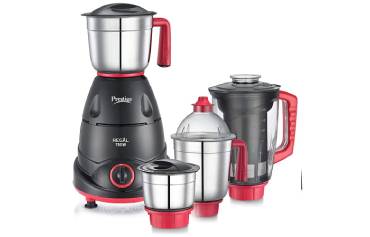
You probably rely on your mixer grinder every day, but a few habits quietly shorten its life. Don’t overload jars, run it nonstop, or toss in large hard pieces without prepping them first. Wet, soupy loads, dull blades, loose seals and poor cleaning all add wear and safety risks. Keep going to learn the specific mistakes to avoid and simple fixes that save time and money.
Key Takeaways
- Overfilling jars beyond the max-fill line, causing uneven grinding, spills, and motor strain.
- Tossing large hard pieces whole instead of pre-cutting, which bends blades and overloads the motor.
- Running long continuous cycles with wet/soupy mixtures, leading to clogging, overheating, and seal damage.
- Neglecting blade, gasket, and vent inspections or failing to replace worn seals, causing leaks and contamination.
- Using improper power sources or frayed cords and storing damp parts, which causes electrical faults and corrosion.
Overloading Jars Beyond Capacity
When you cram a jar past its intended capacity, you’re risking uneven grinding, motor strain, and dangerous spills. You should always check the manufacturer’s max-fill line and respect it. Overfilled jars prevent blades from contacting ingredients properly, so the motor works harder and heat builds up — that shortens motor life and can trip safety sensors. Spills can reach electrical components or create slip hazards; wiping immediately won’t help internal damage. To avoid this, process in smaller batches, pause between fills to let the motor cool, and use appropriate jar sizes for wet versus dry tasks. If a recipe seems generous, reduce quantities or split the job. Listen for unusual sounds or slowdown; those are signs of overload. Never force the lid closed on an overfull jar, and never bypass safety interlocks. Following these simple, preventive steps keeps your grinder safer, more reliable, and longer-lasting. Make sure vents remain clear to maintain proper ventilation and prevent heat buildup.
Running the Grinder Continuously for Long Periods
If you run the grinder continuously for long stretches, the motor can overheat and trip thermal protection or suffer permanent damage. Prolonged operation also speeds up blade dulling and bearing wear, reducing efficiency and causing noisy operation. Give the machine regular rest intervals and follow the manufacturer’s recommended duty cycle to keep it safe and lasting longer. Models with overload protection and thermal cut-off motors offer added safety and help prevent permanent damage.
Motor Overheating Risk
Although the motor’s duty cycle lets you grind many batches back-to-back, running a mixer grinder continuously for long stretches forces the motor to work beyond its safe thermal limits. You’ll feel heat build-up, smell burning insulation, or notice reduced performance—signs you need to stop and let it cool. To protect the motor, follow clear safety steps and avoid long unattended runs.
- Take regular cooldown breaks to prevent thermal stress.
- Monitor temperature and shut off immediately if the motor’s unusually hot.
- Use the grinder within recommended run/rest intervals in the manual.
Also, ensure the appliance is on a dry, flat surface and the socket is properly grounded to reduce electrical and fire risks.
Blade and Bearing Wear
Why push a grinder into long continuous runs when the blades and bearings aren’t built for nonstop stress? When you run the machine for extended periods, bearings heat, lubricant breaks down, and blades dull faster. That increases vibration, wobble, and the risk of sudden failure. Stop and let the unit cool after heavy use; follow duty-cycle recommendations in the manual. Inspect blades and bearings regularly: look for scoring, play, or discoloration from heat. Replace worn bearings and sharpen or swap blades promptly to restore balance and reduce strain on the motor. Use correct-speed settings and avoid overloading the jar. Simple pauses, routine checks, and timely maintenance prevent dangerous breakdowns, extend component life, and keep your grinder operating safely. For batter preparation, consider batch size and machine type—small batches in a mixer grinder reduce heat and protect fermentation-sensitive batters.
Processing Large Hard Pieces Without Pre-cutting
If you toss whole hard items into the jar without pre-cutting, you risk overloading the blades and the motor. Large pieces can bend or stress the blades, causing misalignment or breakage. That extra resistance also makes the motor work harder and can lead to overheating or premature failure. Regularly inspect gaskets and lids for damage and replace them as needed to prevent leaks and ensure safe operation, which also helps avoid strain on the motor and blades by maintaining proper sealing gasket checks.
Overloading With Whole Pieces
Ever tried tossing a whole potato or a handful of uncut nuts into the grinder and expecting a quick blitz? You shouldn’t. Overloading with whole pieces makes the motor strain, jars the unit, and can heat or trip safety switches. Instead, cut items into manageable sizes and feed steadily. You’ll get consistent texture, avoid sudden jams, and extend appliance life.
- Pain — you’ll face frustration when the grinder stalls.
- Panic — overheating or sparks feel unsafe.
- Pride — doing it right saves time and money.
If the motor slows or smells hot, stop immediately, unplug, and let it cool before checking for obstructions. Regularly pre-cutting tough ingredients is simple and keeps you safe while protecting your grinder. Commercial units with thermal overload protection are designed to prevent motor damage during repeated stresses.
Blade Stress and Bending
How hard are those big uncut chunks on your blades? When you force large, dense pieces into the jar without pre-cutting, blades can bend or develop stress fractures. You’ll notice wobble, uneven grinding, or metal fatigue lines if you inspect the blade closely. Don’t assume a few taps will fix it — a bent blade reduces performance and can become a safety hazard if it breaks while spinning. Always cut hard items into small, uniform pieces before processing, and feed gradually rather than dumping everything in at once. If you suspect blade damage, stop using the grinder and replace the blade or have a qualified technician check it. Regular inspection prevents accidents and maintains efficient, safe operation. For added protection, choose models with overload protection to reduce the risk of motor strain when blades are stressed.
Motor Overheating Risk
Bent blades don’t just degrade performance — they make the motor work harder. When you toss large, hard pieces into the grinder without pre-cutting, the motor strains, temperature climbs, and overload protection may kick in or the winding insulation can fail. You’d be risking costly repairs and potential fire hazards.
- You’ll notice burning smells when the motor’s stressed.
- You’ll hear sluggish, labored sounds as torque demand spikes.
- You’ll face sudden shutdowns or permanent motor damage if it keeps happening.
Always pre-cut dense items into small chunks, feed gradually, and pause between heavy loads to let the motor cool. Follow manufacturer load guidelines and never bypass safety cutoffs. These steps keep your machine safe and extend its service life. Routine cleaning and checking for worn components can help prevent noise and further damage.
Grinding Excessively Wet or Soupy Mixtures
Moisture is a grinder’s enemy when you push it beyond design limits: feeding excessively wet or soupy mixtures forces the motor to work harder, clogs blades and mesh, and shortens component life. You should limit liquid content, pause to scrape down wet walls, and use short bursts rather than continuous runs. Wet mixes increase heat, risk motor strain, and can leak into bearings or switches.
| Risk | Cause | Fix |
|---|---|---|
| Motor strain | Overload from heavy slurry | Reduce batch size |
| Clogging | Wet particles bind to mesh | Stop, clean, dry parts |
| Corrosion | Moisture enters seals | Inspect, dry, replace seals |
Always unplug before clearing clogs or removing the jar. Let the unit cool between cycles and dry all parts thoroughly after cleaning. If you notice unusual smells, smoke, or persistent damp inside the housing, stop using the grinder and have it serviced to avoid electrical hazards and further damage. A 450-watt motor is typically sufficient for light household use, so avoid pushing the grinder beyond the recommended wattage to extend its lifespan.
Using Dull or Damaged Blades
If your grinder’s blades have lost sharpness, they’ll strain the motor and chew food inefficiently. Bent or chipped edges can cause vibrations, uneven grinding, and even throw metal shards into the mix. Check blades regularly and replace or repair them to keep the machine safe and effective. The Philips HL7756 and Preethi Zodiac differ in blade design and cooling, which can affect how quickly blades heat up and wear out, with the Zodiac’s specialized blades and ventilation often helping blades stay sharper longer (specialized blades).
Blades Lose Sharpness
Often, you won’t notice how much performance drops until the blades are visibly dull or nicked, but using them that way increases motor strain and can create unsafe splatter or uneven grinding. You’ll feel longer grind times, hear the motor work harder, and risk hot motor trips. Check blades regularly and replace or sharpen them per manufacturer guidance to keep cutting efficient and safe. Never force heavy batches through dull blades — that stresses the motor and can fling contents if the lock fails.
- Frustration: slow, inconsistent results make you overwork the machine.
- Waste: more electricity and ruined food from poor cuts.
- Risk: higher chance of overheating or accidental spills.
Prioritize inspections and timely blade care.
Bent or Chipped Edges
A bent or chipped edge on your mixer grinder’s blades won’t just cut less effectively — it can create imbalance that vibrates the motor, stresses bearings, and sends uneven forces through the jar seal. If you keep using damaged blades, you’ll notice louder vibration, wobble, or leaks; these are signs the rotor and housing are being ruined. Stop immediately when blades are bent, nicked, or produce inconsistent chopping. Inspect blades regularly for chips and straightness, and never attempt to grind very hard items that can nick the edge. Replace blades with manufacturer-approved parts or have them professionally repaired. Always unplug before checking or changing blades, wear gloves for safety, and run a short test at low speed after replacement to ensure smooth, quiet operation.
Neglecting Regular Cleaning and Drying
Regularly skipping thorough cleaning and proper drying lets food residues and moisture build up in your mixer grinder, which accelerates blade corrosion, clogs vents, and promotes motor-smelling odors. You’ll notice sticky jars, rancid smells, and reduced performance if you leave damp parts to sit. Clean immediately after use: detach jars, wipe seals (without discussing worn seals), and dry every component before reassembly. Pay attention to vent openings and the blade hub so trapped particles won’t overheat the motor.
- You’ll feel uneasy when rancid odors return — it’s a clear warning to stop neglecting cleaning.
- You’ll be frustrated by decreased power and frequent stalling when moisture causes short-lived performance.
- You’ll be safer and more confident when you follow a simple rinse, dry, and inspect routine.
Regular cleaning and full drying are practical, low-effort safety steps that extend life and prevent hazards. Make them part of your routine.
Ignoring Worn Seals and Gaskets
Why would you ignore worn seals and gaskets when they’re the first line of defense against leaks and contamination? You risk fluid ingress, motor corrosion, and food contamination if you shrug off cracked or compressed seals. Check them regularly, replace at first sign of hardening, tearing, or shrinkage, and keep spares on hand.
| Issue | Quick Action |
|---|---|
| Visible crack | Replace immediately |
| Hard or brittle | Don’t reuse, replace |
| Oily or swollen | Clean and inspect housing |
| Regular wear | Schedule periodic replacement |
When replacing, use manufacturer-specified parts and ensure a proper fit; wrong sizes compromise the seal. Clean mating surfaces before installing new gaskets and avoid over-tightening fasteners, which can deform seals. If you notice unusual odors, moisture trails, or decreased performance, inspect seals before running the unit again. Prioritizing seal condition prevents safety hazards, extends equipment life, and keeps food preparation sanitary.
Operating With Loose or Misaligned Parts
Loose or misaligned parts can cause excessive vibration, noisy operation, and sudden failures, so you should stop using the grinder if you notice wobbling, rattles, or parts that don’t sit flush. Check mounts, jar locks, lids, and blade assemblies before each use. Don’t ignore a slight wobble — it grows into shaft wear, cracked housings, or a flying component.
When you find misalignment, power down, unplug, and inspect. Tighten loose screws, realign the jar on its base, and reseat the blade hub. If parts are bent or repeatedly loosen, replace them; continued use risks injury and costly repairs.
Follow a simple checklist to protect yourself and the machine:
- Stop immediately if you hear new noises or feel vibration.
- Inspect fasteners and seating points for wear or play.
- Replace damaged or warped components rather than forcing operation.
Being attentive and acting promptly keeps you safe and extends the grinder’s life.
Plugging Into Inadequate Power Sources
If you plug a mixer grinder into an outlet or extension that can’t supply the right voltage or current, you’ll risk overheated motors, tripped breakers, or permanent damage to electronic controls. You should check the appliance rating and avoid low-capacity extensions or shared sockets with heavy appliances. Use a dedicated outlet, proper gauge extension, or a stabilizer where supply is unstable. Don’t ignore frequent buzzing, slow startup, or burning smells — those are warning signs.
| Risk | Sign |
|---|---|
| Undervoltage | Slow motor |
| Overcurrent | Tripped breaker |
| Voltage spikes | Control failure |
| Poor connection | Heat at plug |
| Wrong extension | Insulation damage |
Always unplug before inspecting cords. Replace frayed cables, tighten loose plugs, and avoid daisy-chaining multiple extensions. If your area has fluctuating supply, install a voltage protector. These steps reduce fire risk and extend the grinder’s life, keeping use safe and reliable.
Storing the Grinder With Moisture or Food Residue
Ever left wet jars or sticky blades in the cabinet and wondered why the grinder started smelling or rusted? You might think a quick rinse is enough, but trapped moisture and food residue invite rust, corrosion, and bacterial growth that damage seals, bearings, and electrical parts. Always dry components thoroughly and wipe the base with a damp cloth followed by a dry one. Store lids ajar to let air circulate; never stash damp parts in a closed container.
You’ll want to adopt a simple routine to protect safety and longevity:
- Dry every jar, blade, and gasket completely before reassembly.
- Inspect seals and crevices for trapped food; clean with a soft brush.
- Store in a cool, dry spot with airflow; avoid humid cupboards.
If you notice persistent odor, discoloration, or squeaks, stop using the grinder until a professional checks it. Preventing moisture damage keeps your appliance safe and reliable.
Frequently Asked Questions
Can I Grind Ice for Smoothies in a Regular Mixer Grinder?
You can, but you shouldn’t unless the grinder’s manual permits ice crushing; doing so can dull blades, strain the motor, or shatter jars. Use a blender with ice-capable settings or crush ice separately for safety.
Is It Safe to Use Metal Utensils While Blades Rotate?
No — you shouldn’t use metal utensils while blades rotate. It’s dangerous: you could cut yourself, damage blades or motor, and cause sparks. Always switch off, unplug, and use a long nonmetal tool or wait until stopped.
Will Putting Oil in Jars Prevent Rusting?
Yes — you can coat jars with food-safe oil to slow rust, but you shouldn’t rely on it alone. Wipe dry first, apply a thin oil layer, store in a dry place, and check regularly for corrosion.
Can I Run the Grinder on Inverter Power Continuously?
Yes, you can run the grinder on inverter power continuously only if the inverter and wiring match the grinder’s power and surge specs; otherwise it’ll overload. Always check ratings, ensure proper ventilation, and use a quality pure sine-wave inverter.
Do Warranty Repairs Cover User-Inflicted Blade Damage?
Usually no — warranties won’t cover blade damage caused by misuse, overloading, or foreign objects. You should check terms, keep receipts, and avoid unsafe habits; pay for authorized repairs to ensure safe, reliable restoration and future protection.