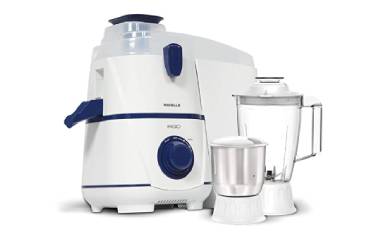
If your blade isn’t rotating properly, stop the machine, isolate power, and don gloves and eye protection before you touch anything. You’ll want to check for wobble, mounting torque, debris, and drive issues like worn belts or bearings. Start with a visual and manual spin to identify resistance, unusual noise, or misalignment. These quick checks point to whether you need cleaning, realignment, balancing, or part replacement—and they’ll guide the next steps.
Key Takeaways
- Stop operation immediately if the blade shows vibration, burning, or uneven cutting.
- Isolate power, apply lockout/tagout, verify de-energization, and wear PPE before inspection.
- Inspect blade for dullness, chips, wobble, and arbor hole deformation; replace or rebalance if out of tolerance.
- Check shaft runout, bearing play, seals, and mounting hardware torque; measure with a dial indicator.
- Clean debris, verify belts/couplings/gears, lubricate as specified, then test at low speed before full operation.
Common Signs Your Blade Isn’t Spinning Right
How can you tell a blade isn’t spinning properly? You’ll notice specific, observable signs you can check quickly. First, uneven cutting or burning marks on material indicates inconsistent blade engagement or wobble. Second, vibration or oscillation beyond normal tolerances—felt at the handle or measured with a simple accelerometer—signals imbalance or bearing wear. Third, audible changes like chirping, grinding, or irregular pitch point to damaged teeth, debris, or motor strain. Fourth, reduced feed rate or the need for extra force implies binding or torque loss. Fifth, visible wobble when stationary rotation is induced (with power off and blade secured) shows flange or arbor issues. Sixth, increased motor temperature or tripping breakers suggests excessive load. Document each symptom, note operating conditions, and isolate variables (speed, load, blade type) before proceeding. If multiple signs appear, stop operation and arrange a formal inspection to prevent injury or equipment damage. Regular maintenance—cleaning, checking seals, and ensuring components aren’t loose—can prevent many of these problems and extend service life; see loose components for common culprits.
Safety First: Preparing to Inspect the Blade and Drive System
Before you touch the blade or drive components, isolate all power sources—shut off the main breaker and lockout/tagout the circuit to prevent accidental re-energization. Verify de-energization with a rated voltage tester and follow your facility’s verification procedure. Put on required PPE (cut-resistant gloves, eye protection, and hearing protection) and ensure any rotating parts are secured against movement. Perform a quick test run with a small amount of liquid to check for leaks or spills before full operation.
Power Isolation Procedures
Start by isolating all energy sources to the saw: shut off the main power, lock out the disconnect with an approved lockout/tagout device, and verify zero energy by attempting to start the machine and testing voltage at the motor terminals with a properly rated meter. Next, bleed stored energy: discharge capacitors, release pneumatic pressure, and vent hydraulic accumulators per manufacturer procedure. Tag the lockout with your name, date, and reason. Verify isolation again at control panels and junction boxes before removing covers. Use a test meter to confirm no backfeed from auxiliary supplies. Maintain control of keys and locks; only the person who applied the lock removes it. Document isolation steps in the work order and notify affected personnel before beginning inspection or maintenance. Ensure tools and machine components are kept organized and secure during the task to prevent damage to the drive system.
Personal Protective Gear
Why wear specific PPE for blade and drive inspections? You’ll reduce injury risk from sharp edges, pinch points, flying debris, and residual energy. Before starting, don certified safety glasses with side shields, cut-resistant gloves rated for the blade material, and a long-sleeve, snug-fitting abrasion-resistant jacket. Use hearing protection if the environment exceeds 85 dB. Wear steel-toe boots with non-slip soles and avoid jewelry or loose clothing that can snag. If working overhead or in confined spaces, add a hard hat and respirator rated for particulates or oil mist. Inspect PPE for damage, confirm glove dexterity allows control of tools, and ensure a proper fit. Document PPE selection in your safety checklist and don gear before any physical inspection. For routine inspections in kitchen appliance maintenance, also consider models with overload protection to reduce the risk of motor-related incidents.
How Dull or Damaged Edges Affect Rotation
How does a dull or nicked blade change rotation? You’ll notice reduced cutting efficiency, increased vibration, and uneven torque transfer. Inspect and test before use: shut power, lockout, and visually examine edges for nicks, roll-over, or rounded profiles. Measure sharpness and balance; document deviations beyond manufacturer tolerances.
| Condition | Rotational Effect | Recommended Action |
|---|---|---|
| Minor dulling | Slight drag; higher current draw | Resharpen per spec; rebalance |
| Nicks/chips | Localized imbalance; vibration spikes | Remove blade; repair or replace |
| Edge roll-over | Reduced cut penetration | Restore bevel; check clearance |
| Uneven wear | Progressive wobble | Trim to uniform profile; rebalance |
After maintenance, perform a static and dynamic balance check at low speed, then run at operating speed while monitoring vibration and current. If vibration persists or runout is uncertain, mark blade as unsafe and replace. Always follow manufacturer torque, clearance, and PPE requirements during inspection and service. A reliable motor and sturdy mounting help limit vibration and improve longevity, especially with sturdy jars.
Detecting Bent Blades and Physical Deformation
Start by visually inspecting the blade while slowly rotating it to spot any wobble or obvious bends. Next, stop the tool and place a straightedge along the blade length to measure gaps or twists against a known flat reference. If lateral movement or uneven contact appears beyond manufacturer tolerances, mark the blade for repair or replacement. Also verify the drive hub and retaining nut are secure and undamaged before use, since loose fittings can cause blade wobble.
Visual Inspection for Wobble
Want to check for wobble? Position the tool on a stable surface, power off and disconnect the power source, and wear eye and hand protection. Visually align your sight with the blade plane at multiple points around the circumference; rotate the blade slowly by hand using the arbor nut or shaft to observe any lateral movement. Look for consistent gaps between blade teeth and stationary guards, irregular tooth spacing, hairline bends, or blade cup/deformation. Inspect the arbor hole for elongation and the mounting flange for warping or debris. Note vibration indicators: blade chatter marks on guards or fresh scoring. If you spot deformation, stop use, tag the machine out of service, and follow manufacturer procedures for blade replacement or further inspection. Also perform pre-use electrical and safety checks, including inspecting the power cord and ensuring the tool is on a dry, stable surface before operation.
Measurement With Straightedge
Looking for a quick, precise check for bends or cup in a blade? You’ll use a straightedge to detect deviations safely and quickly. Wear gloves and ensure power is off and blade immobilized. Place the straightedge across the blade surface at multiple radial positions: near hub, mid-radius, and tip. Note gaps, rocking, or light passing under the edge. Record measurements with feeler gauges or calipers. If any gap exceeds manufacturer tolerance, tag the blade out and replace. Reinspect mounting flange and arbor for damage before installing a new blade. Follow lockout/tagout procedures throughout. For reliable results, consider using a well-balanced, sturdy tool and checking for vibration issues that can indicate motor or mounting problems and affect grinding performance; refer to motor power guidelines when assessing stability.
| Position checked | Observation |
|---|---|
| Hub | |
| Mid-radius | |
| Tip |
| Between teeth
Clearing Debris, Rust, and Build-Up From Blades and Housings
How do you know when blade performance is being compromised by debris, rust, or built-up residue? You’ll notice reduced RPM, uneven rotation, vibration, visible deposits along blade edges or housing, and increased motor load. Before you begin, isolate power, lock out/tag out, and wear cut-resistant gloves and eye protection.
Inspect visually and with a stiff brush to identify contaminants: grass, hair, carbon, or corrosion. Remove large debris by hand or with non-metallic pry tools. Use a wire brush or abrasive pad for rusted spots, applying moderate pressure to avoid changing blade profile. For oil, sap, or sticky residue, apply a manufacturer-approved solvent; let it penetrate, then wipe with lint-free cloths. Clean housing and ventilation passages with compressed air at safe pressure, directed away from you.
After cleaning, recheck for cracks, nicks, or thinning. Balance blades if weight was removed. Restore power and test briefly at low speed to confirm smooth rotation before full operation. Many users find that choosing components with stainless steel parts helps reduce corrosion and extend blade life.
Checking Shaft Alignment and Mounting Hardware
Why might your blade still wobble after cleaning? Inspect shaft alignment and mounting hardware methodically. With power isolated and a lockout/tagout in place, visually check the shaft for bends by rotating it slowly; any runout beyond manufacturer tolerance requires correction. Use a dial indicator or straightedge to measure lateral runout at multiple points; record values and compare to spec. Verify coupling faces are clean, parallel, and free of burrs. Loosen mounting fasteners and re-seat the blade or hub, ensuring concentric placement on the shaft shoulder. Torque mounting bolts to specified values in a star pattern to prevent distortion. Check keyways, set screws, and any tapered or splined connections for correct engagement and absence of debris. Confirm shaft-support bearings are not preloaded improperly by hardware misassembly. After reassembly, hand-rotate the assembly to confirm smooth motion and re-measure runout before returning to powered operation. Use PPE and follow safe procedures throughout. Also consider whether differences in motor ventilation and mounting hardware design could affect long-term alignment and wobble.
Diagnosing Worn Bearings, Bushings, and Seals
Check the shaft by spinning the blade by hand and feel for roughness or play to identify bearing wear. Inspect seals for leaks, cracks, or hardening and check bushings for scoring or excess clearance. Note any abnormal noises, vibration, or lubricant loss and document findings before replacing worn components.
Check Bearing Wear
Want to know whether bearings, bushings, or seals are causing a blade to rotate poorly? Start by locking out power and wearing PPE. Remove housing per manufacturer instructions to access bearing assemblies. With blade supported, spin the shaft by hand and note roughness, grinding, or play. Use a dial indicator to measure radial and axial runout; compare to spec. Check for heat discoloration or metal debris indicating lubrication failure. If bearings make audible clicking or grating, or if measured play exceeds limits, mark for replacement. Record part numbers and torque values. Re-lubricate only if bearing type is serviceable; otherwise plan full replacement. After maintenance, reassemble, restore power, and perform a controlled run-in while monitoring temperature and vibration.
Inspect Seals and Bushings
Start by isolating the drive and wearing appropriate PPE; you’ll remove covers to access seals and bushings for a hands-on inspection. Visually and manually check for grease leakage, scoring, deformation, and play. Rotate shaft slowly; feel for roughness or binding. Measure radial and axial play against spec. Replace seals showing hardening, cracks, or seepage. Replace bushings or bearings with oval wear, ridges, or excessive clearance. Clean mating surfaces; install new seals with correct orientation and lubrication. Reassemble and test at low speed, observing temperature and noise.
| Item inspected | Pass/Fail |
|---|---|
| Seal lip | |
| Bushing surface | |
| Shaft finish | |
| Grease condition | |
| End-play |
Inspecting Belts, Gears, and Drive Components
How do the belts, gears, and drive components interact to turn the blade? You should visualize power flow: motor output shaft transfers torque through belts or couplings to intermediate gears, which reduce or increase speed and route torque to the blade spindle. Start by locking out power and verifying zero energy. Inspect belts for correct tension, lateral wear, glazing, cracks, or missing teeth; check pulleys for alignment and scoring. Examine gears for chipped teeth, pitting, excessive backlash, and proper lubrication level. Inspect shafts, keys, and couplings for play, corrosion, and secure fasteners. Check bearings for smooth rotation, noise, and heat marks. Verify guards and covers are intact and fasteners torqued to specification. Note any abnormal clearances or contamination that could allow slippage or misalignment. Record measurements and observed defects for service actions. Do not attempt powered checks before maintenance procedures and lockout/tagout are completed.
Simple Repairs and When to Replace Parts
Now that you’ve inspected belts, gears, shafts, bearings, and couplings and documented defects, you can move into basic repairs: tighten or replace misaligned or glazed belts, re-seat or replace worn keys and couplings, repack or top up gear lubrication, and change bearings that show roughness, overheating, or excessive play. Begin by isolating power, locking out and tagging out the machine, and verifying zero energy. Use service manuals for torque, belt tension, and lubricant specifications. Replace components if damage exceeds manufacturer tolerances: visible cracks, pitting, scored gear teeth, shaft runout beyond spec, or bearing radial play above limits. For belts, prefer replacement over repeated retensioning when glazing or >10% elongation is present. When coupling bores are rounded or keys shear repeatedly, install new components and check alignment with dial indicators or laser tools. After repairs, restore power only after guard reinstallation and run a controlled test at low speed, monitoring temperature, vibration, and noise for at least one operational cycle before returning to service.
Preventive Maintenance to Keep Blades Spinning Smoothly
Why not establish a simple, regular preventive routine that keeps blades balanced, aligned, and lubricated before problems arise? You’ll start by powering down and locking out the machine. Inspect blade edges, mounting hardware, and the hub for cracks, wear, or looseness. Clean debris and residue with a brush and solvent rated by the manufacturer. Measure blade runout with a dial indicator; if runout exceeds spec, remove, rotate 180°, and remount to verify repeatability. Check balance by static or dynamic methods specified in the service manual; add or adjust counterweights until balance falls within tolerance. Verify shaft alignment and bearing preload using laser or feeler gauges; correct misalignment to prevent wobble. Apply lubricant to bearings and gearboxes with the correct type and quantity; avoid overfilling. Torque all fasteners to spec using a calibrated wrench. Record each procedure, measurement, and lubricant batch for traceability. Schedule intervals based on operating hours and load to maintain safe, reliable blade rotation.
Frequently Asked Questions
Can Vibration During Startup Indicate a Motor Problem?
Yes — if vibration occurs at startup, you’re likely facing motor issues like imbalance, bearing failure, misalignment, or loose mounts. Shut power, inspect mounts, bearings, rotor, connections, and measure vibration amplitude before operating further for safety.
How Do Weather Changes Affect Blade Rotation Performance?
Weather changes can affect blade rotation by altering air density, humidity, temperature, and ice formation; you’ll inspect for imbalanced forces, thermal expansion, moisture corrosion, and icing, then adjust pitch, clear ice, tighten fasteners, and confirm safe operation.
Can Improper Blade Pitch Cause Slow Spinning?
Yes — improper blade pitch can cause slow spinning. You should inspect pitch settings, verify blade angle against manufacturer specs, adjust using proper tools, secure locking mechanisms, and test rotation at low speed while following safety procedures and PPE.
Is Electric Interference Able to Stop a Blade From Rotating?
Yes — electromagnetic interference can disrupt motor control signals or sensors and prevent rotation. You’ll isolate power, shield/control wiring, check grounding and EMI filters, and use diagnostics to verify signal integrity before restarting to ensure safe operation.
When Is Professional Balancing Required Instead of DIY Fixes?
You need professional balancing when DIY checks (looseness, debris, simple weight correction) don’t stop vibration, when imbalance is severe, repeated, affects bearings or safety, or when specialized equipment and certification are required.