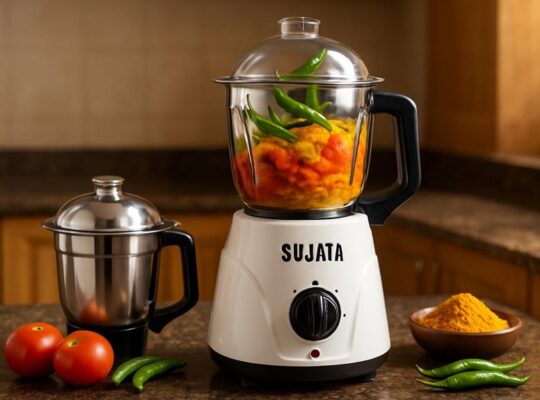
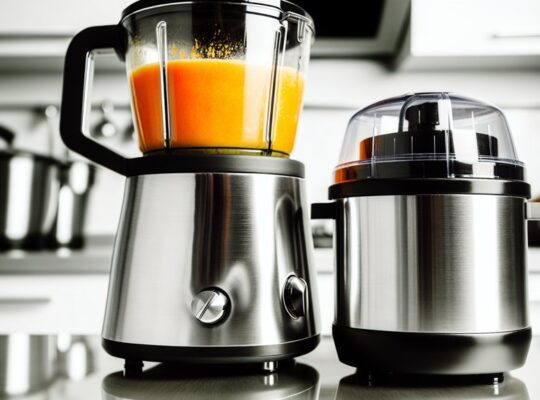
When you’re choosing a mixer for your elderly parents, focus on ease, safety, and comfort so kitchen tasks don’t become a strain. Pick models with large, labeled controls, lightweight balanced designs, and non-slip bases to reduce effort and accidents. Prioritize simple speed settings, quiet motors, and dishwasher-safe parts for low upkeep. I’ll walk through the best features and options to help you pick a practical, confidence-boosting appliance that fits their needs.
Key Takeaways
- Choose mixers with large, well-spaced tactile controls and audible feedback for easy, confident operation.
- Prioritize lightweight or well-balanced hand mixers (about 1–2 pounds) to reduce wrist strain and fatigue.
- Select models with a wide, non-slip base or suction feet to prevent sliding and reduce spill risk during use.
- Ensure safety features like automatic shut-off, overload protection, and secure beater locks for accident prevention.
- Opt for easy-clean, removable parts and clear maintenance guidance to simplify care and extend durability.
Why Mixer Choice Matters for Seniors
Why does the choice of a mixer matter for your elderly parents? You want them safe, independent, and confident in the kitchen. A well-chosen mixer reduces strain on arthritic hands, lowers fall risk by minimizing time spent on prep, and prevents burns or spills from awkward lifting. Evidence shows ergonomic tools help maintain daily living skills longer, so picking equipment that fits their strength and coordination matters. You’ll also be reducing caregiver burden and medical risks tied to accidents. Practical considerations—like noise, weight, and ease of cleaning—directly affect whether they’ll actually use the appliance. Choosing with safety and usability in mind supports dignity and continued participation in meals, which benefits both health and emotional wellbeing. Usha mixers often feature 100% copper motors, which improve durability and grinding performance.
Key Features to Look For
You’ve seen how the right mixer can protect safety and independence, so now let’s look at the specific features that make one easier and safer for older hands and bodies. Focus on controls, weight distribution, and safety mechanisms that reduce strain and accident risk.
- Ergonomic handles and intuitive controls — look for soft-grip handles, large clearly labeled buttons, and simple speed settings so you won’t fumble or overreach.
- Balanced weight and vibration reduction — a well-balanced unit with low vibration cuts wrist fatigue and makes steady stirring more controllable.
- Built-in safety features — automatic shut-off, secure beater locks, and easy-to-clean housings lower burn, pinch, and contamination risks.
Choose models with overload protection to prevent motor burnout and unexpected shutdowns during heavy use.
Best Lightweight Hand Mixers
When choosing a lightweight hand mixer for your elderly parent, focus first on actual weight and a comfortable, non-slip grip so they can use it without wrist strain. Also check motor power and clear, easy-to-use speed controls — a balance of sufficient wattage and tactile buttons gives safer, quicker results. Small, evidence-based features like ergonomic handles and variable speeds make everyday tasks far more manageable. Consider models with low noise operation to reduce disturbance and make use more pleasant.
Weight and Grip Ease
Think of a hand mixer you can hold comfortably for several minutes without your wrist tiring—that’s the goal when choosing lightweight models for elderly parents. You’ll want a balance of low weight and an ergonomic grip so tasks stay safe and fatigue-free. Look for molded, non-slip handles and a center of gravity that keeps the mixer steady in your hand.
- Weight: Aim for 1–2 pounds; clinical reports link lighter tools to reduced wrist strain in older adults.
- Grip profile: Contoured, soft-touch surfaces cut slipping risk and improve control during mixing.
- Balance and vibration: Even weight distribution and low vibration minimize compensatory movements that can cause falls or soreness.
Prioritize tested designs and try a handheld demo when possible. Many budget-friendly mixers also offer overload protection which can extend motor life and improve safety.
Power and Speed Controls
While a light, well-shaped mixer keeps wrists happy, you’ll also want controls that match your parents’ strength and recipes—power and speed determine how reliably the tool performs without forcing them to compensate. Choose a mixer with a variable-speed dial or clearly labeled buttons that respond smoothly; abrupt jumps can startle or require sudden corrections. Look for lower minimum speeds for gentle folding and higher peak power so mixtures don’t stall when thicker batters appear. An electronic speed control with soft-start reduces splatter and sudden torque, lowering wrist strain. Check wattage for sustained performance—higher watts usually handle dense doughs without overheating. Prioritize tactile, large controls and audible feedback so your parents can confidently set and confirm speeds, supporting safer, more independent cooking. Also confirm the mixer’s wattage and speed range to ensure compatibility with heavier tasks and the manufacturer’s recommendations.
Best Stand Mixers With Easy Controls
If you’re helping elderly parents choose a stand mixer, prioritize models with clearly labeled dials, large tactile buttons, and simple speed ranges so they can start, stop, and adjust without confusion or strain. You’ll want mixers with intuitive layouts, steady feedback when controls change, and readable contrast on markings. Look for documented ease-of-use in reviews and tests, and consider cordless or low-noise motors if hearing is a concern.
- KitchenAid Artisan — straightforward dial, tactile speed click, well-reviewed for usability.
- Cuisinart Classic — simple push-button controls, clear indicators, compact profile for handling.
- Kenwood Chef — large knobs, wide speed steps, stable operation noted in user tests.
Philips models are known for their sturdy builds and reliable motors, which can be important for steady feedback and durability.
Safety and Stability Considerations
When you’re choosing a mixer for your parent, prioritize a wide, non-slip base and easy-grip handles so it won’t shift or require awkward repositioning during use. Make sure controls are clearly labeled and reachable without stretching, and look for models with audible or tactile feedback to reduce mistakes. Also check for built-in overheat protection and automatic shutoff features—these safeguards lower the risk of burns and motor failure and are backed by appliance safety standards. Regularly inspect cords, plugs, and jars for damage and ensure the appliance is plugged into a properly grounded outlet to reduce electrical and fire risks (see cord and plug checks).
Stable Base and Grip
A steady, non-slip base and an easy-to-grip handle are two of the most important safety features to look for when choosing a mixer for your elderly parent, because they directly reduce the risk of spills, drops, and strain during use. You want a unit that stays put on counters and feels secure in hand, lowering fall and injury risk. Look for rubberized feet, a low center of gravity, and textured, oversized handles that match reduced grip strength and arthritis.
- Rubberized or suction feet to prevent sliding during use.
- Low-center-of-gravity design to minimize tipping when jars or bowls are attached.
- Ergonomic, non-slip handles sized for weaker grips and limited dexterity.
Choose models with tested stability ratings when possible. Bullets tend to have a compact footprint which can help reduce reach and handling strain for some users.
Easy-To-Reach Controls
Where are the controls placed, and can your parent reach them without stretching or straining? You want buttons and dials within a relaxed arm’s reach, with large, well-spaced controls that reduce missteps. Evidence shows reachable, tactile controls lower risk of spills and strain. Positioning near the front, with angle and contrast, helps those with limited mobility or vision. Test height and force needed—avoid stiff knobs.
Vidiem models often place controls on the front panel for easy access, and their ergonomic designs can make operation simpler for older users; see ergonomic design for more.
| Location | Accessibility | Visual Cue |
|---|---|---|
| Front panel | Easy reach | High contrast |
| Top-mounted | Moderate reach | Tactile rim |
| Side dial | May require twist | Large numbers |
| Remote control | Flexible reach | Backlit buttons |
| Touchscreen | Requires precision | Anti-glare surface |
Try setups at home; small adjustments improve daily safety and independence.
Overheat and Shutoff Safeguards
How will you know the mixer’s safe to leave unattended for a short while? You’ll want clear overheat and automatic shutoff features so you don’t have to worry about smoke or motor failure. Look for models with thermal sensors, audible alerts, and cool-down locks—these reduce risk and are supported by appliance safety standards.
- Thermal cutoff: cuts power when internal temps exceed safe limits, preventing motor damage and fire risk.
- Auto-shutoff with alert: stops operation after preset times or abnormal load, then signals you to check contents.
- Cool-down lock and restart protection: prevents immediate restart until motor cools, avoiding repeated stress.
Choose mixers with documented test results or certifications, and keep manuals accessible for troubleshooting and maintenance. Many modern mixers also include electronic current sensing to monitor real-time current and shut down on overload.
Cleaning and Maintenance Tips
Why not make cleaning your parent’s mixer simple and safe so it actually gets done? Start by unplugging and letting the unit cool; unplugging prevents shocks and is recommended by manufacturers. Use a soft cloth and mild detergent for the exterior—avoid abrasive cleaners that can remove labels or damage seals. Removable bowls and beaters should be washed promptly in warm, soapy water or placed on the top rack of the dishwasher if the manual allows; drying thoroughly prevents rust and bacterial growth. Check and clean the vent openings with a dry brush to maintain airflow and prevent overheating. Inspect cords for frays and test controls regularly; if parts look worn or performance declines, consult the manual or a qualified technician to ensure continued safe use.
Adaptive Accessories and Helpful Add-ons
Looking for simple additions that make mixing safer and easier for your parent? You’ll want accessories that reduce strain, improve control, and lower risk. Choose items with non-slip grips, lightweight construction, and clear safety benefits backed by ergonomic research. Consider these practical add-ons:
- Slip-resistant silicone mats and suction bases to stabilize bowls and the mixer, preventing tipping and reducing force needed to hold items.
- Ergonomic handles and paddle attachments designed for reduced wrist torque and easier grip, which research shows lessen discomfort during repetitive tasks.
- Extension cords with built-in surge protection and easy on/off rocker switches or large tactile buttons to improve reach and minimize fumbling.
Test each item with your parent to confirm comfort and safe use before regular use.
Buying Guide: Budget to Premium Options
Curious which mixer fits both your parent’s needs and your budget? Start by listing must-haves: stable base, easy controls, low noise, and safety features like automatic shutoff. For budget options (under $70), choose compact hand or small stand mixers with simple speed dials and rubber feet; they’re lightweight and easier to handle but check torque ratings for thicker batters. Mid-range ($70–$200) offers sturdier motors, tilt-head designs, and better warranties—good balance of power and user-friendliness. Premium models (>$200) give durable metal housings, quieter motors, and advanced safety locks; they suit frequent use or caregivers who value longevity. Read consumer tests and user reviews focused on stability and overheating. Prioritize verified safety features and a clear return policy for peace of mind.
Frequently Asked Questions
Can Mixers Be Adjusted for Left-Handed Users?
Yes — many mixers can be adjusted or adapted for left-handed users; you’ll find reversible controls, detachable bowls, and cord placement options, and simple accessories or mounting changes can improve safety and comfort based on evidence and practical testing.
Do Any Mixers Include Noise-Reduction Features?
Yes — some mixers have noise-reduction features like insulated motor housings, rubber mounts, quieter brushless motors, and low-vibration designs; you’ll want to check decibel ratings, user reviews, and safety certifications before choosing one.
Are Replacement Parts Readily Available Locally?
Yes — you’ll usually find common replacement parts locally for major mixer brands, especially for motors, bowls, and beaters. Check manufacturer dealers, appliance repair shops, or parts stores; keep model numbers handy for safety and fit.
Can Mixers Be Used for Non-Food Tasks Safely?
Yes — you can, but you shouldn’t assume every mixer’s safe for non-food tasks; durability, material compatibility, and cleaning matter. Follow manufacturer guidance, avoid hazardous substances, unplug before changing attachments, and supervise use to reduce risks.
Are There Models With Battery Backup for Power Outages?
Yes — some mixers offer battery backup or run on rechargeable batteries, letting you keep blending during outages; choose models with surge protection, sealed controls, and long runtime, and test them periodically to ensure reliable, safe operation.