Your mixer grinder’s sudden trips, noisy grinding, leaks, or sluggish blades can be fixed faster than you think if you know what to check first. You’ll want to inspect vents, gaskets, blade fitment, electrical connections, and jar locks step by step so you don’t make a small problem worse. I’ll walk you through practical checks and quick fixes that often save time and money, and point out when to call a technician.
Key Takeaways
- Motor overheating or tripping: stop, unplug, allow 30+ minutes to cool, check ventilation and avoid overloading.
- Burning smell or smoke: unplug immediately; inspect cord, windings, and seek qualified repair if smell persists.
- Blades not spinning or grinding poorly: check jar seating, coupling/rubber drive, remove jams, and replace worn blades or coupling.
- Leaks from jar or lid: inspect and replace brittle/worn gaskets, ensure correct seating and undamaged jar threads.
- Faulty controls or intermittent power: clean or test switches/knobs, tighten fittings, and replace faulty switches if continuity fails.
Motor Overheating and Tripping
When your mixer grinder overheats and trips, it’s usually because the motor’s overloaded, ventilated poorly, or there’s an electrical fault — so stop using it immediately and let it cool for at least 30 minutes. First, unplug the unit and remove the jar; let both parts sit in a cool, dry place. Check for blocked vents or dust buildup around the motor housing and wipe them clean with a soft brush — never insert metal objects. Inspect the jar load: you shouldn’t fill past two-thirds for wet grinding or half for dry. Overloading strains the motor, so process in smaller batches. After cooling, try a short test run without load; if it still trips, check your outlet and fuse or try a different socket. Smell caution: burning odor means don’t restart. If problems persist, contact an authorized service center—do not open the motor casing yourself. Regular cleaning, correct loading, and using the right socket will reduce overheating risks and keep you safe. Also, routinely inspect and replace worn gaskets and blades to prevent leaks and motor strain preventive maintenance.
Unusual Grinding Noise
Wondering why your mixer grinder’s making a harsh grinding noise? First, unplug the unit and wait for all parts to stop. Check the jar and lid for trapped utensils, hard debris, or loose fittings—remove anything you find. Inspect the coupling (rubber drive) for cracks, hardening, or misalignment; replace it if it’s worn, since a damaged coupling often causes scraping sounds. Look at the motor housing vents; accumulated debris can let small particles reach internal components and create noise—clean vents gently with a soft brush. Examine the jar base and rim for dents or warped parts that rub during rotation; swap jars to test if noise follows a specific jar. If you hear metal-on-metal or a grinding inside the motor even after these checks, don’t keep running it—stop and consult a qualified service technician. Continuing to operate a noisy grinder risks further damage and safety hazards. Also verify that vents are clear and there is adequate ventilation around the unit to prevent overheating and additional motor damage.
Blades Not Spinning Properly
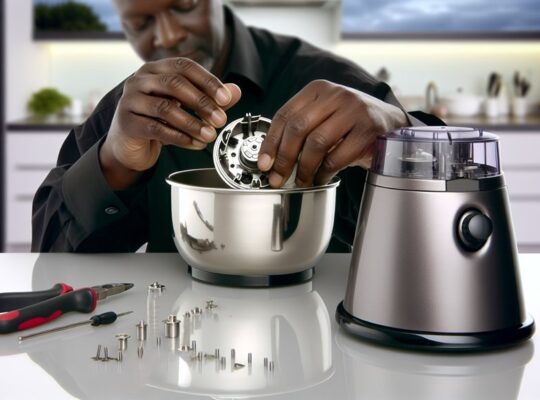
Why aren’t the blades spinning properly even though the motor seems to run? First, unplug the unit and check that the jar is seated and locked correctly; misalignment or a worn coupling can let the motor run without turning the blade. Inspect the rubber coupling and gear teeth for cracks, deformation, or sheared pieces—replace damaged couplings before using the grinder. Remove the blade assembly and feel for resistance: jammed food, hard debris, or rust can bind the shaft; clean carefully with a brush and protected hands. Verify the blade nut is tight but not overtightened; a loose nut slips, a seized one prevents rotation. If the motor shaft spins but the blade doesn’t, the coupling or drive assembly is likely faulty—get it repaired by a qualified technician. Never test with exposed shafts or wet hands; always disconnect power and wear gloves when handling sharp blades. For safe blade replacement procedures consult the manufacturer’s guidelines and wear appropriate cut-resistant gloves when handling or installing blades.
Leakage From Jars or Lid
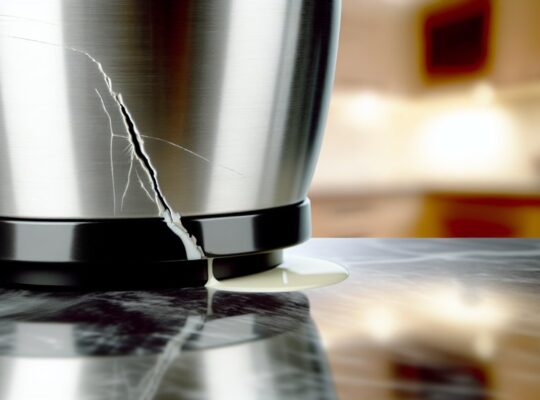
If your grinder’s jars are leaking, check the rubber gaskets first—worn, misshapen, or hardened seals are the most common cause and need replacing. Make sure each jar is seated and tightened correctly on the base and lid; a slightly misaligned jar will let liquid escape. Inspect the jar and lid for hairline cracks or broken threads, and replace any damaged components before using the unit again. Also consider whether a unit with jar-lock interlock or reinforced construction might reduce future leakage problems.
Worn Rubber Gaskets
Not sure whether that drip is coming from the jar edge or the lid seam? If the rubber gasket is flattened, cracked, or hard, it’ll fail to seal and you’ll get leaks. Inspect gaskets regularly: remove the lid, prise out the ring, and check for tears, compression marks, or food buildup that prevents a tight fit. Clean gaskets with warm soapy water and dry fully before reassembling; never use harsh chemicals. Replace any gasket that shows damage—use manufacturer parts or exact-size replacements to ensure a proper seal. When fitting a new gasket, align it evenly and press gently into place. Always unplug the grinder before handling parts. Perform a quick test run with a small amount of liquid to check for leaks before full use.
Improper Jar Seating
Ever noticed liquid pooling at the base even though the gasket looks fine? That usually means the jar or lid isn’t seating correctly. Check that the jar sits squarely on the coupling and that the lid clicks or aligns with any locking tabs. Remove and reseat the jar, making sure there’s no debris on the rim, threads, or drive spline; even small particles stop a proper seal. Tighten hand-threaded lids evenly—don’t cross-thread. If your model uses a bayonet or twist lock, rotate until it locks; you should feel resistance before running. Never run the grinder with a misaligned jar. After reassembly, run briefly with water to confirm no leaks. If leakage continues, stop and inspect for hidden damage. Brands like Philips are known for sturdy shells and reliable jar locks, which can reduce leakage risk in real-world use.
Cracked Jar Components
Sometimes reseating the jar fixes leaks, but cracks in the jar or lid are a different problem and need a direct look. Inspect the jar and lid under good light, turning them to spot hairline fractures, stress marks, or worn sealing rims. Don’t use cracked jars — they can leak hot or contaminated contents and damage the blade unit. If the crack is tiny and superficial, stop using the jar and replace it; temporary fixes like food-grade tape aren’t safe. Replace rubber gaskets if they’re deformed, since a bad seal mimics a crack. When ordering replacements, match model numbers to ensure proper fit and material safety. After fitting a new part, test with water to confirm there’s no leakage before using food. For better long-term performance, consider models with overload protection and sturdy build features when replacing parts.
Burning Smell From Motor
If you smell burning from the motor, switch the grinder off and unplug it immediately to prevent further damage. The odor usually points to overheating from overload or to electrical shorting inside the motor or wiring. You’ll want to check for overloaded jars, allow the motor to cool, and inspect cords and connections before running it again. Also inspect the power cord and plug for damage and ensure the appliance is plugged into a properly grounded outlet to reduce electrical risks.
Overheating From Overload
Why is your mixer giving off a burning smell and getting hot? You’re likely overloading the jar or running it too long without breaks. If you force large quantities, tough ingredients, or frozen items, the motor works harder, heats up, and emits an acrid odor. Stop immediately, unplug, and let it cool for at least 15–20 minutes. Remove contents, check blades and seals for warping, and clear any obstructions. Restart with smaller batches, use pulse mode, and add liquid to ease grinding. Ensure proper ventilation around the motor housing and follow duty-cycle recommendations in the manual. If overheating recurs despite these steps, stop using the unit and get professional service to avoid fire or permanent motor damage. Consider switching to a commercial-grade unit with thermal overload protection for continuous heavy use.
Electrical Shorting Issues
When the burning smell comes from the motor rather than from overworking the jar, you’re likely facing an electrical short or insulation failure inside the motor housing. Immediately unplug the grinder and don’t attempt to run it. Open the housing only if you’re trained; otherwise contact a qualified technician. Look for visible signs: scorched windings, melted insulation, burn marks on the PCB or switch, and loose or frayed wires. If you do inspect, use insulated tools, keep hands dry, and work in a well-lit area. Replace damaged wiring, connectors, or the motor assembly rather than patching insulation with tape. After repair, test under supervision with a residual-current device (RCD) or circuit breaker in place. Prioritize safety; avoid DIY if unsure. Also consider whether a failed overload protector or thermal cutoff contributed to the fault to prevent recurrence.
Poor Grinding or Uneven Consistency
How do you tell whether your mixer grinder’s uneven grind is a simple fix or needs professional attention? Start by unplugging the unit and inspecting blades for dullness, chips, or loose mounting. If blades look worn or wobble, tighten or replace them; blunt blades often cause uneven particle size. Check the jar for cracks or warped seating that lets ingredients circulate improperly—replace damaged jars. Make sure you’re not overfilling the jar and that you’re using short pulses for coarse grinding and longer runs for paste; overloaded jars yield inconsistent results.
Clean the blade assembly and jar seal; trapped debris can redirect flow and reduce efficiency. If smell of burning, excessive vibration, or a grinding noise appears after these steps, stop and consult a technician—these suggest motor or bearing damage, which isn’t safe to DIY. Regular maintenance—sharpening/replacing blades, correct loading, and secure fittings—prevents most uneven-grind problems.
Switch or Speed Control Failure
If you’ve ruled out blade and jar issues but the grinder’s behavior still seems off, the problem may be in the switch or speed control. Start by unplugging the unit and visually inspecting the control knob, buttons and housing for cracks, grime or loosened fittings. Clean around contacts with a dry brush and compressed air; avoid liquid cleaners unless the manufacturer allows them. If the knob feels loose or skips positions, tighten any accessible screws or replace the knob. For intermittent operation, test the switch with a multimeter to check continuity across positions—no continuity indicates a faulty switch. If you’re not comfortable opening the motor housing, stop and seek a qualified technician. Replace worn or corroded switches with OEM parts to preserve safety features and proper fit. After repairs, reassemble securely, check for unusual noises, and run the grinder empty for a short time to confirm stable speed and safe operation before returning it to regular use.
Jar Not Locking or Sealing
Struggling to get the jar to lock or form a tight seal? You’ll want to fix this before you run the grinder—leaks or a loose jar can spray hot liquids or damage the motor. First, unplug the unit and remove the jar. Inspect the rubber gasket for cracks, twists, or debris; replace it if it’s flattened or torn. Check the jar’s rim and the base coupling for chips or warped areas that prevent proper seating. Align the jar tabs with the base guides and twist firmly until you hear or feel the click; don’t force a misaligned jar.
- Clean gasket and rim with a damp cloth; dry completely before reassembling.
- Replace worn gaskets yearly or after visible damage.
- Ensure the coupling teeth are intact and free of food residue.
- Avoid overfilling the jar; leave headspace to prevent pressure build-up.
- Test with a small water run before processing hot or thin liquids.
Excessive Vibration or Wobbling
Why is your grinder shaking so much? Check that the jars are seated and locked properly — an off-center or loose jar causes immediate wobble. Inspect blades and shaft for bends or damage; a bent blade throws balance and needs replacement. Make sure the jar lid and base are clean and free of stuck food that can tilt the jar during use.
Place the appliance on a flat, stable, non-slip surface; uneven countertops amplify vibration. Verify rubber feet or anti-vibration pads are intact and replace them if worn. Don’t overload the jar or run at maximum speed with heavy loads; reduce batch size and use pulse to steady motion.
If vibration persists after these checks, unplug and examine the motor coupling for wear or cracks; a damaged coupling can misalign rotation. For internal motor or bearing issues, stop use and seek professional service—continued operation risks damage and personal injury.
Power Failure or Intermittent Operation
Notice the grinder cutting out or only working sometimes? You’ll want to act cautiously and diagnose methodically to avoid shocks or further damage. First, unplug before inspecting. Check the power cord for cuts, and replace it if insulation or wires are exposed. Test the outlet with another appliance or a socket tester—don’t assume it’s the grinder. Inspect the plug and internal connections (if you’re comfortable opening the unit); loose terminals and frayed wires cause intermittent power. Overheating can trigger thermal cutouts: let the motor cool, clean vents, and reduce load. Faulty start switches or worn brushes also produce sporadic operation; replace parts per the manual.
- Unplug before any inspection or repair
- Check wall outlet and fuse/MCB first
- Examine cord, plug, and internal wiring
- Allow cooling time for thermal resets
- Replace worn switches or motor brushes
If unsure, get a qualified technician to avoid electrical hazards.
Frequently Asked Questions
Can I Sharpen or Replace the Grinder Blades Myself?
You can sharpen or replace the grinder blades yourself, but only if you disconnect power, follow manufacturer instructions, use proper tools, wear cut-resistant gloves and safety glasses, and avoid forcing parts—otherwise have a technician handle it.
Can I Grind Hot Ingredients Safely in the Jar?
Yes, you can, but you shouldn’t. Let hot ingredients cool slightly, avoid overfilling, release steam slowly, use heatproof jars, keep lid sealed with a cloth, pulse gently, and stop if steam or pressure builds—safety first.
How Do I Clean Hard-To-Reach Sealing Grooves?
You’ll remove the gasket, soak it in warm soapy water, then scrub grooves with a soft-bristled brush or toothpick wrapped in cotton; rinse thoroughly, disinfect with diluted vinegar, dry completely before reassembling to avoid mold.
Are After-Market Jars and Lids Compatible With My Model?
Sometimes they are, but you shouldn’t assume compatibility. Check shaft type, locking mechanism, gasket size, and electrical ratings. Use only certified aftermarket parts or originals to avoid leaks, imbalance, motor strain, or safety hazards.
Can I Use the Mixer Grinder for Wet Dough Kneading?
You can, but you shouldn’t for heavy wet doughs; most mixer grinders aren’t designed for prolonged kneading. For small, soft doughs use short pulses, check motor temperature, secure lid, and avoid overfilling to prevent damage and overheating.