If your mixer grinder’s vibrating more than usual, start by checking obvious things you can fix quickly. It could be an unbalanced jar, loose fasteners, worn bearings, or an electrical issue causing uneven motor torque. You’ll want to rule out placement and load problems first, then inspect moving parts and wiring—keep going to find the likely culprit and decide whether a simple DIY fix will do or you need a technician.
Key Takeaways
- Unbalanced or unevenly filled jars create centrifugal forces that cause strong vibration and wobble.
- Bent, chipped, or loose blades, couplings, or jar spindles produce eccentric rotation and excess vibration.
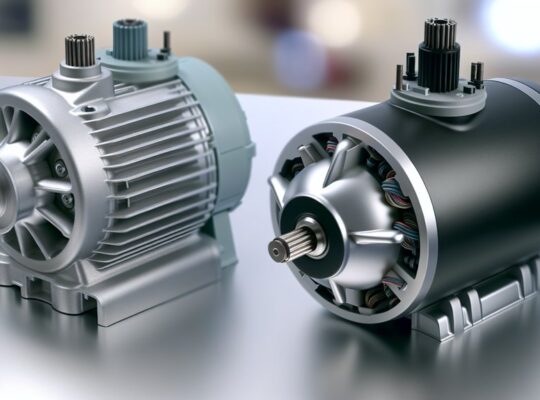
- Worn motor bearings, imbalanced rotors, or broken motor mounts cause high‑frequency vibration and noise.
- Loose fasteners, damaged rubber feet, or an uneven surface amplify transmitted vibration; check mounting and countertop.
- Electrical faults (capacitor or phase issues) and poor ventilation can cause uneven torque, overheating, and increased vibration.
Common Reasons for Excessive Vibration
Why is your mixer grinder vibrating more than usual? Check three mechanical causes first: unbalanced load (uneven quantity or distribution in jars) creates centrifugal forces that amplify vibration; you’ll feel pulsation and hear rhythmical thumps. Worn or damaged blades, coupling, or jar spindle introduce eccentric rotation—inspect for chips, bent blades, or play in the coupling. Loose fasteners (motor mounting bolts, jar locking tabs) let components shift under torque; tighten to specified torque. Motor bearing wear causes axial and radial play, producing high-frequency vibration and heat; if bearings are noisy or gritty, replace them. Imbalanced rotor or broken motor mount spring causes sustained oscillation—service rotor alignment or mounts. Electrical issues like phase imbalance (in single-phase motors, capacitor faults) can produce uneven torque and vibration; test capacitors and supply waveform. Avoid running the unit until faults are identified to reduce risk of injury or further damage. Also check for blocked vents and poor airflow, since inadequate ventilation can increase motor temperature and exacerbate vibration issues ventilation and temperature.
How to Check Placement and Surface Stability
After you’ve ruled out internal faults, check where and how the grinder sits—placement and surface stability directly affect vibration. Place the unit on a flat, rigid countertop; avoid laminate or hollow surfaces that amplify oscillation. Use a spirit level to confirm the base is horizontal; even a few degrees tilt shifts dynamic loads and increases shake. Ensure all four feet contact the surface; rubber feet should be intact, not compressed or glazed. If feet are worn, replace them or fit a stable spacer under the short corner—don’t prop with soft materials that compress under load.
Keep the grinder away from edges and cabinets that can resonate; allow a minimum clearance of 10–15 cm on all sides. Avoid placing it atop another appliance or unstable board. For temporary stabilization, use an anti-vibration mat designed for small motors; select one rated for the grinder’s weight. Always unplug before moving the unit and secure jars/lids to prevent accidental displacement while testing stability. Consider using anti-vibration mats to reduce transmitted vibrations and protect both the countertop and the appliance.
Inspecting and Tightening Loose Parts
Check that the jar and lid sit squarely on the coupling and that the lid’s locking tab engages fully; misalignment or a loose lid transmits wobble from the blade assembly. With the grinder unplugged, inspect and hand-tighten accessible base and motor mounting bolts, then use the appropriate-size wrench to secure any that remain loose. After tightening, run the unit briefly with a small load to confirm vibrations have been reduced. Inspect the blade assembly and retainers for wear or looseness before use, since a loose or damaged blade can cause significant vibration and should be replaced promptly blade assembly.
Check Jar and Lid Alignment
Ever notice the vibration drops when the jar and lid are seated correctly? Check that the jar base sits squarely on the coupling and that the lid locks or snaps fully into place. Misalignment shifts the load and creates imbalance, increasing vibration and wear. With the grinder unplugged, place the jar on the motor spindle, rotate slightly to find the seating detents, then press down until it engages. Inspect lid gaskets and locking tabs for wear or debris that prevents a tight seal; replace damaged parts. Run a short test at low speed after reassembly to confirm stability. If you still feel uneven vibration, don’t force operation—power down and recheck alignment to avoid component damage or safety hazards. Also consider that a worn coupling or damaged blades can cause vibration and may require professional replacement of surgical-grade blades.
Tighten Motor and Base Bolts
How can loose motor or base bolts cause vibration? Loose bolts let the motor shift under load, creating imbalance, misalignment, and amplified vibration that stresses bearings and the chassis. You should power off and unplug before inspecting.
- Visual check: look for missing or backing-out bolts at the motor mount and base plate.
- Torque sequence: tighten bolts in a crisscross pattern to specified torque; avoid over-tightening which can strip threads.
- Fastener condition: replace damaged bolts, washers, or rubber isolators to restore correct clamping and dampening.
- Functional test: after reassembly, run the grinder briefly at no-load, then under light load, listening for reduced vibration and checking for heat or noise.
If vibration persists, consult a qualified technician to avoid safety risks. Many users also prefer models with overload protection which can reduce stress on the motor and related mounting hardware.
Identifying and Fixing Unbalanced Blades or Jars
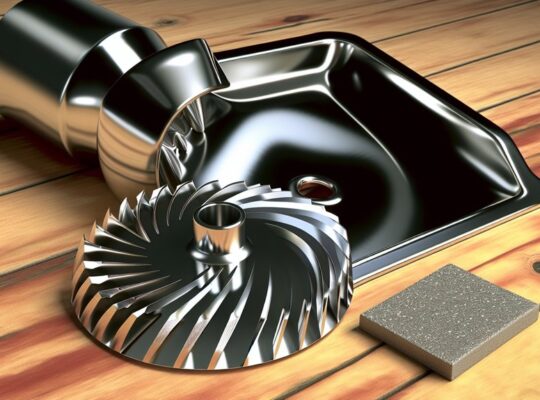
Start by stopping the grinder and removing the jar to inspect the blade assembly for bent or misaligned blades; even a small tilt will cause strong vibration. Re-seat or replace a warped blade and check that the coupling and blade spindle are free of debris or wear that prevents proper alignment. Then confirm the jar sits evenly on the base and carries a balanced load—uneven contents will amplify any residual imbalance. Also verify seals and gaskets are intact and the jar is properly locked to the base to prevent leaks and further vibration jar sealing.
Check Blade Alignment
Why is your mixer shaking more when you run it empty or with a small load? Check blade alignment first: misaligned blades create imbalance and transmit vibration to the motor and housing. You should power off and unplug before inspecting. Look for bent blades, loose screws, or uneven wear. If alignment is off, don’t run the unit.
- Visually inspect blades for straightness and symmetry; rotate by hand to detect wobble.
- Tighten blade nut to specified torque; replace stripped threads or damaged fasteners.
- Replace bent or chipped blades with manufacturer-approved parts to restore balance.
- Reassemble and test with a small, balanced load; stop immediately if vibration persists.
Follow safety steps and consult service if misalignment continues. Also consider that higher motor power and RPM, such as 750W motors and 17000–20000 RPM found in some models, can amplify vibration from misalignment.
Ensure Jar Balance
Blade alignment issues can also show up as an unbalanced jar, so after you’ve checked the blades themselves, inspect the jar and its contents for balance. Place the empty jar on a flat surface and rotate it; any wobble indicates a warped base or loose coupling. Check that the jar sits squarely on the grinder spindle and that the locking mechanism engages fully. When grinding, distribute ingredients evenly around the blade—don’t overload one side with large chunks. Use smaller, uniform pieces and add liquid if needed to stabilise the load. If vibration persists, swap jars to isolate the fault: if vibration follows the jar, replace or repair its base; if it stays with the motor unit, service the spindle or mounts. Always unplug before adjustments. Allow rest intervals between cycles to prevent overheating and reduce stress on the motor cooling, ventilation.
When Overload or Incorrect Loading Causes Shaking
Ever wondered how too much load or uneven loading makes your mixer grinder shake? When you overload the jar or place ingredients unevenly, the rotor sees asymmetric mass and fluctuating torque, producing lateral forces that transmit to the housing and surface. That vibration is mechanical imbalance under power, not a cosmetic fault.
- Reduce fill level: keep contents below manufacturer capacity to limit inertial forces and heat buildup.
- Evenly distribute load: arrange solids and liquids symmetrically so the rotating assembly sees balanced mass and steady torque.
- Pulse and rest: run short bursts with pauses to prevent sudden torque spikes and motor stress; let components settle between cycles.
- Use appropriate jar and blade: select the correct jar size and blade for the task to avoid mismatched inertia and inefficient cutting.
Always switch off and unplug before adjusting loads. If shaking persists after correcting loading, stop use and seek professional inspection to avoid electrical or mechanical hazards. Many compact models, like small 500-watt or 750-watt units, are designed with motor overload protection to reduce damage from excessive stress.
Worn Bearings, Shafts, and Motor Alignment Issues
If correcting load balance doesn’t stop the shaking, worn bearings, bent shafts or misaligned motor components are likely culprits. You should first disconnect power and inspect externally: listen for grinding or rumbling when you spin the jar or blade by hand—these noises indicate bearing wear. Check for axial or radial play by gently moving the rotor; any noticeable wobble means tolerance is exceeded. Visually inspect shaft straightness; a bent shaft will produce eccentric rotation and uneven forces. Examine bearing housings and mounts for looseness, corrosion or missing fasteners that permit misalignment. If you have basic tools, you can remove covers, measure runout with a dial indicator, and retighten or replace worn bearings and mounting hardware. Replace bearings with manufacturer-specified parts and ensure shafts meet straightness specs. After reassembly, verify secure mounts and minimal play before testing at low speed. If alignment needs machining or you’re unsure, stop and consult a qualified technician to avoid injury or further damage. Regularly cleaning residue and checking seals can prevent added friction and reduce noise from worn parts blade balance.
Electrical Causes: Motor Faults and Wiring Problems
When vibration doesn’t stem from mechanical wear, electrical faults in the motor or wiring often cause uneven torque and rapid oscillations you can feel or hear; inspect the motor’s windings, brushes (if present), and connections for signs of arcing, burning, loosening, or corrosion. You should treat electrical issues as potential safety hazards and avoid running the machine under suspicious electrical conditions.
- Faulty windings: shorted or open coils produce unbalanced magnetic fields, causing pulsation and increased current draw.
- Commutator/brush wear: intermittent contact or pitting creates torque ripple and audible clicking.
- Loose or corroded connections: intermittent supply or high resistance leads to erratic motor speed and heating.
- External supply problems: voltage imbalance, spikes, or poor earthing can stress the motor and induce vibration.
Have a qualified technician test insulation resistance, measure phase balance and current, and correct wiring faults before further use to minimize risk of fire or injury.
How to Safely Diagnose Vibration Causes at Home
How can you safely narrow down why your mixer grinder is vibrating without risking damage or injury? Begin by unplugging the unit and inspecting externally: check for cracked jars, loose blades, damaged rubber feet, and bent shafts. Use a flashlight and gloves; avoid reaching into the blade area. With power off, spin the jar or blade by hand to feel for roughness, wobble, or axial play—these indicate mechanical imbalance or bearing wear.
Next, place the grinder on a rigid, level surface and secure it. Reconnect power and run the empty grinder briefly at low speed while standing clear; listen for unusual noises and observe wobble. Use a small vibration meter app or a smartphone accelerometer held gently against the housing to compare front-to-back and left-to-right amplitudes.
If vibration is frequency-dependent (only at certain speeds) or accompanied by burning smells, immediately power down and unplug. In those cases, avoid further operation and consult a qualified technician.
Simple DIY Fixes and When to Replace Parts
Want to fix a vibrating mixer grinder yourself without making it worse? Start by unplugging the unit and following these targeted, safety-first steps. Check mounts, blades, bearings and bowls; small fixes often stop vibrations.
- Tighten loose fasteners: secure body screws, mounting bolts and rubber feet with the correct-size screwdriver or wrench; don’t overtighten.
- Rebalance blades and jars: inspect blades for bends, replace warped jars, and ensure jars seat squarely on the coupling; use a spare jar to test balance.
- Replace worn couplings and rubber dampers: if you see cracks or excessive play, swap in OEM parts; these parts are low-cost and reduce eccentric motion.
- Lubricate or replace bearings cautiously: if bearings are dry or noisy, apply specified grease or replace the bearing; remove power and follow the service manual.
Replace parts when visible damage, persistent play, or noise remains after adjustments. Keep the unit unplugged and use OEM replacements to maintain safety and performance.
Signs You Should Contact a Professional Technician
If your grinder starts making unusually loud or irregular noises, don’t ignore it — that often indicates bearing failure or loose internal components. If you smell burning or see excessive motor heat, cut power immediately and get a technician to inspect wiring and motor insulation. These symptoms point to electrical or mechanical faults that aren’t safe or reliable to fix without professional tools and expertise.
Unusual Loud Noises
When you hear sudden, unusually loud grinding, rattling, or banging from your mixer grinder, don’t ignore it — those sounds usually mean an internal component is failing and you’re risking further damage or a safety hazard. Stop using the appliance immediately, disconnect power, and avoid attempting complex repairs unless you’re trained. Unusual loud noises commonly indicate loose or damaged blades, bearing failure, motor rotor/stator contact, or foreign object impact.
- Loose or damaged blades: causes imbalance, rapid wear, metal fragments.
- Bearing failure: produces constant grinding and heat, leads to seizure.
- Rotor/stator contact: creates heavy vibration and sparks risk.
- Foreign object impact: can shatter components, create sharp debris.
Call a professional technician to inspect and replace faulty parts safely.
Burning Smell Present
Although a faint odor can sometimes mean overheating from heavy use, a persistent or acrid burning smell is a clear sign you should stop using the mixer grinder and call a professional. You’ll want to disconnect power immediately to prevent electrical fire or further component damage. A burning odor often indicates insulation breakdown, shorted windings, or friction from a failing bearing causing heat and smoke; these are not safe DIY repairs. Describe the smell, when it started, and any unusual sounds to the technician. Avoid running the unit to “test” the issue. Keep the appliance in a ventilated area away from flammable materials while awaiting service. A qualified technician will perform electrical diagnostics, inspect windings and bearings, and recommend repair or replacement.
Excessive Motor Heat
Why is the motor running unusually hot, and what should you do about it? You should treat excessive motor heat as a safety risk and stop using the grinder immediately. Don’t ignore persistent high temperatures — internal faults can cause fire or permanent motor damage. Signs that require a professional technician:
- The motor stays hot after short use or heats rapidly.
- You detect burning odor, smoke, or discoloration near vents.
- The grinder trips breakers, fuses, or shows reduced power under load.
- Unusual noises, vibration increases, or the motor housing is warped.
Switch off and unplug the unit, allow it to cool, and avoid DIY disassembly. Contact an authorized technician for inspection, diagnostics, and repair to ensure safe operation.
Frequently Asked Questions
Can Vibration Cause Food Contamination or Metal Shavings in the Mix?
Yes — vibration can dislodge worn parts, causing metal shavings and cross-contamination; it can also aerosolize particles and contaminate food. You should stop use, inspect bearings, blades, housing, and replace damaged components immediately.
Can Vibration Damage Kitchen Countertops Over Time?
Yes — persistent vibration can loosen joints, crack veneers, dent surfaces, and degrade adhesive bonds in countertops over time. You should isolate the appliance, use anti-vibration pads, and inspect mounts periodically to prevent cumulative damage.
Are Certain Mixer Grinder Brands More Prone to Vibration?
Yes — some brands are more prone to vibration due to design, motor balance, and build quality. You’ll want models with rigid housings, balanced rotors, effective damping, and good customer reviews to minimize vibration-related safety risks.
Can Vibration Affect Appliance Warranty Coverage?
Yes — vibration can void warranty if it’s caused by misuse, unauthorized repairs, or modifications; manufacturers expect proper installation, balance, and maintenance. Document defects, follow service instructions, and contact support before self-repair to preserve coverage.
Is It Safe to Run a Vibrating Grinder Unattended?
No, you shouldn’t run a vibrating grinder unattended; it can indicate imbalance, loose parts, or motor issues that raise fire, spill, or injury risks. Turn it off, unplug, inspect, and repair before resuming use.