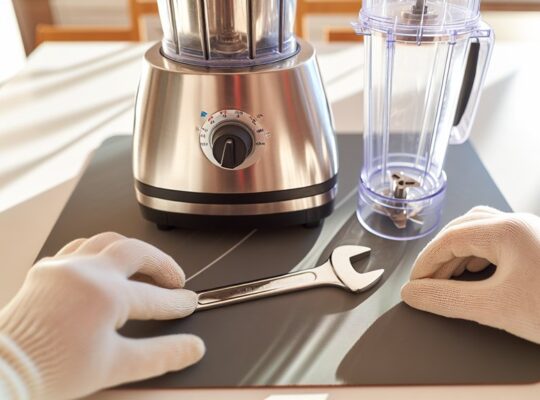
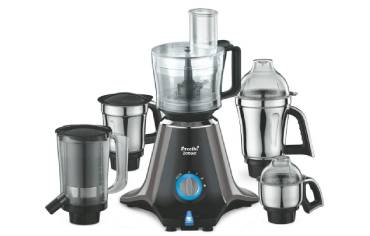
You should service your mixer grinder on a schedule tied to how you use it, so you can avoid unexpected failures and keep performance steady. For normal home use that’s usually every 6–12 months; heavy or commercial use needs checks every 3–6 months. Simple daily and monthly checks you can do yourself cut down on wear, but internal inspections and electrical tests should be left to a trained technician — here’s what to check next.
Key Takeaways
- Perform preventive servicing every 6–12 months for typical domestic use to inspect, clean, and lubricate internal parts.
- For heavy or commercial use, service every 3–6 months to check bearings, ventilation, brushes, and seals.
- Do basic daily cleaning and weekly inspections of blades, jars, and power cord to prevent buildup and early damage.
- Replace wear items on schedule: blades 3–6 months, gaskets 6–12 months, bearings 2–4 years, belts annually.
- Stop use and call a technician immediately for burning smells, smoke, loud grinding, tripped overloads, or intermittent power faults.
Why Regular Servicing Matters for Your Mixer Grinder
Why should you service your mixer grinder regularly? You’ll maintain motor efficiency, reducing current draw and preventing overheating that can cause insulation failure or fire. Scheduled inspections uncover worn bearings, loose fasteners, and frayed wiring before they lead to catastrophic failure. You’ll keep seals and gaskets intact, preventing liquid ingress that can short circuits or corrode components. Sharp blades and properly aligned jars mean consistent load distribution; that lowers vibration and mechanical stress on shafts and couplings. Cleaning vents and fans preserves ventilation paths, ensuring rated cooling performance. Replacing worn brushes or capacitors restores starting torque and stable operation, cutting risk of stall-related heating. Regular servicing also verifies safety features—earth continuity, insulation resistance, and proper switch function—so safeguards will operate if a fault occurs. Overall, preventive maintenance minimizes downtime, repair costs, and hazard potential, giving you reliable, safer operation and extending the appliance’s usable life. Processors and mixers with overload protection also benefit from checked thermal cut-offs to prevent motor damage.
Recommended Service Interval: How Often to Schedule Maintenance
Typically, you should schedule a basic service for a mixer grinder every 6–12 months, with more frequent checks if you use it daily or run heavy loads. You’ll prevent wear, maintain motor cooling, and reduce failure risk by adhering to a set interval. If you process hard ingredients, grind wet pastes frequently, or run the unit for long cycles, move to a 3–6 month cadence. Less frequent, light domestic use can remain on 12-months.
| Usage Pattern | Recommended Interval | Key Focus |
|---|---|---|
| Heavy / Commercial-style | 3–6 months | Motor bearings, ventilation, brushes |
| Daily domestic | 6 months | Seals, blades, wiring integrity |
| Occasional use | 12 months | Overall inspection, lubrication |
Always use trained technicians for internal checks and electrical testing. Keep service records and replace worn consumables promptly. Prioritize safety: disconnect power before inspection, and don’t defer repairs that affect insulation or grounding. A routine pre-use inspection of the jar, lid, blades, cord, and plug helps prevent accidents and should be part of regular maintenance inspect components.
Daily and Weekly Checks You Can Do Yourself
Before each use, check the power cord for cuts, exposed wires, or loose connections so you don’t risk a short or shock. After every run, disassemble and clean jars and blades thoroughly, removing food residue that can dull blades or harbor bacteria. Do these quick daily and weekly checks to catch wear early and keep performance consistent. Many Kenstar models also include a 2-year warranty that covers motor faults and ensures support if issues arise.
Check Power Cord Integrity
How often should you glance at the mixer grinder’s power cord? Inspect it daily for visible damage—nicks, cuts, exposed wires, melting, or discoloration near the plug and strain relief. Weekly, flex the cord gently along its length to reveal hidden cracks or stiff sections that indicate internal breakage. Check the plug pins for bending, corrosion, or looseness; a loose connection raises resistance and heat risk. Ensure the cord isn’t pinched under the appliance or twisted tightly around it during storage. If you find any damage, stop using the grinder and replace the cord or have a qualified technician do so; do not attempt DIY splicing unless you’re certified. Proper cord care reduces shock and fire hazards and prolongs appliance reliability. Also remember that using the correct jar capacity and not overfilling jars helps prevent motor strain that can damage cords and plugs over time.
Clean Jars and Blades
After you’ve confirmed the power cord is sound, check the jars and blades next—these parts see the most wear and harbour food residue that can dull blades and harbor bacteria. You’ll want to perform quick daily rinses and a weekly deep clean to maintain cutting efficiency and hygiene. Always unplug before handling. Remove jars, inspect seals, and look for nicks or corrosion on blades.
- Daily: rinse immediately, use a soft brush to dislodge particles, dry thoroughly to prevent rust.
- Weekly: soak in warm soapy water, scrub crevices, inspect gasket condition; replace if cracked.
- Safety check: reassemble only when components are fully dry and seating is secure.
Keep records of replacements to schedule professional service when performance degrades. The Zodiac’s fiber-reinforced body can help reduce long-term wear on jars and fittings.
Monthly Maintenance Tasks to Keep Things Running Smoothly
Wondering what small checks you should do each month to prevent bigger problems? Inspect the power cord for cracks, exposed wires, or loose connections; replace the cord if you find damage. Tighten jar lids, couplers, and blade assemblies to specified torque if your manual gives values; loose fittings cause vibration and wear. Clean the motor housing vents with a soft brush or compressed air to prevent overheating; don’t use water. Check that switches and speed controls operate smoothly without sparks or hesitation; malfunctioning controls should be serviced. Lubricate rubber gaskets lightly with food-grade lubricant if they appear dry or cracked, and replace them when elasticity is lost. Verify the base sits level and rubber feet are intact to minimize motor strain. Run a brief no-load test at each speed to listen for unusual noises or vibration; note any change and schedule professional inspection if persistent. Keep a simple log of monthly findings and actions. Also perform a quick test run with a small amount of liquid to check for leaks before regular use.
Signs Your Mixer Grinder Needs Immediate Attention
If your grinder starts making unusual loud noises, don’t ignore it — it often signals damaged bearings, misaligned blades, or motor strain that need prompt inspection. If you smell burning or see smoke, unplug it immediately and don’t run the unit again until a technician checks for electrical faults or overheating. Both symptoms require immediate attention to prevent motor failure or fire risk. Also check for a tripped overload protector or excessive heat, as these overheating indicators can signal motor stress requiring cooling or professional service.
Unusual Loud Noises
Why is your mixer grinder suddenly louder than usual? You should treat persistent, unusual noise as an immediate safety signal. Unusual grinding, rattling or high-pitched squeal usually means mechanical failure that can escalate quickly.
- Bearing wear — metallic grinding or humming indicates degraded bearings; continuing use risks seizure and heat buildup.
- Loose or damaged blades/impellers — clanking or intermittent impacts mean parts are misaligned or broken; they can fracture and cause imbalance.
- Motor or coupling faults — high-frequency whining or irregular vibration points to rotor/stator or coupling damage; this raises current draw and fire risk.
Stop using the appliance, unplug it, and get it inspected by a qualified technician. Don’t attempt internal repairs unless you’re trained. Regular maintenance, including checking ventilation and blade condition, helps prevent these issues and reduce overheating risk; see ventilation and blade care for details.
Burning Smell or Smoke
Smell something burning when the grinder’s running? Stop immediately, unplug the unit, and don’t restart it until inspected. A burning odor or visible smoke indicates electrical overheating, motor winding insulation failure, worn brushes, or jam-induced strain. Check for trapped food causing friction, melted wiring insulation, or a hot motor casing. If you see smoke or sparking, ventilate the area and keep people and flammable materials away.
Do a visual inspection only when cool: look for charred components, discolored windings, or a burnt smell source. Minor overheating after heavy use may need cooling breaks; persistent odor requires professional service. Continuing to run a smoking grinder risks fire, further motor damage, and electric shock—get it serviced promptly. Sujata’s robust motors and overload protection can help prevent damage from sustained heavy use.
When to Call a Professional Repair Technician
When should you call a professional repair technician for your mixer grinder? You should prioritize safety and avoid DIY fixes when electrical faults, unusual noises, or persistent performance loss occur. A trained technician can diagnose wiring, motor insulation, and control circuitry safely.
- Electrical faults: intermittent power, sparks, tripped breakers, or burning odors that persist after unplugging. These indicate insulation breakdown or short circuits; don’t attempt internal inspection yourself.
- Mechanical failure with risk: loud grinding, seized rotor, or metal-on-metal sounds that suggest bearing or rotor damage. Continued use can cause motor failure or create fire risk; stop using the unit and get help.
- Complex control issues: speed control failure, capacitor or PCB faults, or overheating that recurs despite routine maintenance. These require specialized tools and component-level repair.
When you call a technician, describe symptoms clearly, note when they began, and mention any previous repairs. This keeps the diagnosis efficient and minimizes safety hazards. Overload protection features like thermal cutoff can prevent motor damage by cutting power when temperatures or currents exceed safe limits.
Common Wear Parts and How Often They Should Be Replaced
Knowing when to call a pro is only part of maintenance; you should also track the wear parts that fail most often so you can replace them before they cause bigger problems. Blades and blade assemblies dull or chip with regular use — inspect every 3–6 months and replace blades showing nicks, bent tips, or loss of edge to maintain cutting efficiency and avoid motor overload. Seals and gaskets harden and crack; check them every 6–12 months and replace if brittle, torn, or leaking to prevent liquid ingress into the motor compartment. Bearings and bushings produce noise or vibration when worn; expect replacement every 2–4 years depending on load and usage patterns. Drive belts (if fitted) stretch and lose tension; inspect annually and replace at the first sign of glazing, fraying, or slipping. Electrical cords and switches should be checked visually each use and replaced immediately if insulation is damaged or connections are intermittent. Use OEM parts and qualified service for safety-critical components.
Cleaning Tips That Prevent Damage and Extend Lifespan
Regularly cleaning your mixer grinder prevents buildup that stresses seals, blades, bearings and the motor, so make it part of routine care. You’ll avoid abrasive residue and corrosive deposits if you follow precise, repeatable steps after each use and during deeper weekly cleans. Remove jars and blades, rinse immediately to stop food drying into tight joints, and wipe the housing with a damp cloth—never immerse the motor base. Descale metallic parts periodically with a diluted vinegar solution, then neutralize and dry thoroughly to prevent corrosion. Inspect rubber gaskets and seating surfaces for wear as you clean; replace if you see cracks or deformation.
- Rinse and brush blades/jars immediately after use.
- Wipe motor base; never submerge or spray directly.
- Descale and fully dry metallic components regularly.
Keep cleaning tools soft, use mild detergents, and ensure all parts are completely dry before reassembly to prevent electrical faults and premature mechanical failure.
Safety Precautions During Maintenance and Repairs
Before you touch any parts, unplug the mixer grinder and confirm the power switch is off to eliminate shock risk. Wear appropriate protective gear—cut-resistant gloves and safety glasses—when handling blades, jars, or fasteners. Never attempt electrical repairs yourself; leave wiring or motor issues to qualified technicians.
Unplug and Power off
Why should you always disconnect the mixer grinder from mains power before any maintenance or repair? Because residual energy or accidental activation can cause severe injury or equipment damage. Before you touch any component, confirm power is removed and the plug is visibly out.
- Turn off the unit at the switch, then pull the plug from the socket — this isolates the appliance from live supply.
- Verify isolation with a non-contact voltage tester or by attempting a controlled power-on after reassembly; never assume off equals safe.
- Allow capacitors and motor windings to discharge for several minutes; short high-voltage components per manufacturer guidance if required.
These steps reduce electrical shock, prevent unexpected motor start, and protect internal electronics during inspection or repair.
Use Proper Protective Gear
Want to avoid cuts, burns, and electrical hazards while you work? Wear insulated, cut-resistant gloves rated for electrical work to protect hands from sharp blades and accidental contact with live parts. Use safety goggles or a face shield to block flying debris when disassembling or cleaning. Put on a long-sleeve, fitted garment to prevent loose fabric from catching in rotating components. Use non-slip, closed-toe footwear and stand on a dry surface to reduce slip and shock risk. If you’ll handle heated components, use heat-resistant gloves or allow parts to cool to specified temperatures before contact. Keep a multipurpose fire extinguisher and a first-aid kit nearby. Inspect PPE for damage before each session and replace any compromised items immediately.
Avoid DIY Electrical Repairs
How confident are you handling live wiring in a mixer grinder? You shouldn’t be. Electrical faults can cause shock, fire, or further damage if tackled without training and proper test equipment. Follow strict boundaries: don’t open sealed compartments, don’t bypass safety interlocks, and don’t improvise wiring repairs.
- Hire a qualified electrician or authorized service technician for wiring, motor, or switch faults.
- Use professional diagnostics: insulation resistance, continuity, and earth leakage tests; avoid guesswork with a multimeter alone.
- Keep the appliance unplugged until the technician confirms safe isolation; never assume a switch isolates live conductors.
You’ll reduce risk to yourself and the appliance, preserve warranties, and ensure repairs meet safety standards.
Cost Expectations and Budgeting for Routine Servicing
Curious what routine servicing will cost you over a year? Calculate based on inspection, consumables, and occasional repairs. Typical baseline: one preventive service every 6–12 months—inspection, cleaning, lubrication, gasket and filter checks—runs about $15–$35 depending on region and technician. Add consumables: replacement gaskets, blades, seals, and thermal fuses may total $10–$40 annually if worn parts are detected.
Budget a contingency of 20–40% for unexpected repairs (motor brushes, bearings, switch replacement). So plan roughly $36–$120 per year for standard upkeep and minor parts. If you have heavy use or a commercial-grade unit, double these figures.
Use these steps: verify technician pricing, request itemized estimates, prioritize safety-related replacements, and keep records of services and part numbers. That minimizes downtime, prevents hazardous failures, and keeps long-term costs predictable.
Frequently Asked Questions
Can Servicing Improve Your Mixer Grinder’s Resale Value?
Yes — servicing can improve resale value by ensuring safe, functional components, documented maintenance history, and cleaned parts. Buyers will pay more for a well-maintained grinder with verified repairs, reduced failure risk, and clear safety proof.
Can Servicing Detect Electrical Wiring Issues at Home?
Yes — regular servicing can spot wiring faults like frayed insulation, loose connections, or overloaded circuits during inspection and testing, but you’ll still need a qualified electrician for exhaustive home electrical diagnosis and repairs.
Do Warranties Cover Damage From Improper Cleaning?
Usually not; warranties typically exclude damage from improper cleaning, and you’ll need proof the fault isn’t user-caused. Check terms: authorized service, permitted cleaning agents, and documented maintenance to avoid voiding coverage.
Can Pest Infestations Affect Mixer Grinder Performance?
Yes — pests can degrade performance. They’ll contaminate food, clog vents, chew wiring, cause motor shorting or overheating. You should inspect seals, clean thoroughly, remove nests, and repair damaged wiring to maintain safety and function.
Is It Safe to Service a Mixer Grinder During Pregnancy?
Yes — you can safely service a mixer grinder during pregnancy if you avoid heavy lifting, standing long periods, and exposure to sharp parts or strong cleaning chemicals; get help for motor removal and use gloves, mask, and proper ventilation.