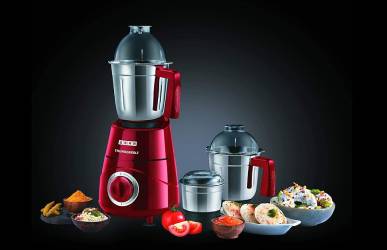
If your mixer grinder has started sounding like a metal shop, you’ll want to find the cause fast and fix it safely. Start simple: check for loose blades, a wobbly jar, trapped debris, or a misaligned coupling—these often make the loudest racket. I’ll walk you through easy diagnostics and fixes you can do at home, plus when it’s time to call a pro, so you can stop guessing and get it quiet again.
Key Takeaways
- Loose or worn blades/jar causing wobble and contact—tighten or replace blades and jars.
- Faulty bearings or motor noise producing grinding/whine—stop use and seek professional repair.
- Misaligned coupling or foreign objects under blades causing clunks—inspect, clear debris, and reseat coupling.
- Overloaded jars or poor balance stressing the motor—reduce load and grind in smaller batches.
- Cracked jars, loose fasteners, or bad rubber feet amplifying vibration—replace damaged parts and tighten mounts.
Common Causes of Loud Mixer Grinder Noise
Why is your mixer grinder suddenly so loud? You’ll likely find a few common, fixable causes. Worn or loose blades can wobble and hit the jar; don’t ignore metallic rattling. A damaged jar or lid won’t sit properly and can amplify vibration. Loose mounting screws or an unsecured motor housing transfer noise—keep fasteners tight but power off first. Faulty bearings produce grinding or whining; that’s a safety concern and needs prompt attention. Overloaded jars strain the motor and make it howl; reduce batch size. Misaligned coupling between motor and jar causes clunks and uneven rotation. Foreign objects trapped under blades create sudden bangs—disconnect power and inspect before touching. Electrical issues, like a failing motor or capacitor, may buzz and should be checked by a qualified technician. Always disconnect power before inspecting, wear gloves when handling sharp parts, and stop use if you suspect internal mechanical or electrical failure. Ensure vents are clear and the unit has good airflow to help prevent heat-related noise and component wear from poor ventilation.
How to Diagnose the Source of the Noise
Now that you know the usual causes, you can methodically pinpoint where the noise is coming from. First, unplug the grinder and let it cool. Visually inspect the jar, blade assembly, and lid for cracks, loose screws, or foreign objects. Reassemble parts tightly, then run the motor briefly with an empty jar (lid off and hands clear) to listen for vibration, grinding, rattling, or whining—note whether noise changes with load. Try each jar and blade separately; if noise occurs only with one jar, the problem is in that jar or blade. If noise persists with an empty jar removed, suspect motor or bearings. Place a wooden spoon handle gently against the housing while running (keeping fingers away) to detect resonance points that indicate loose panels or mounts. Smell for burning and watch for smoke; if present, stop immediately. Finally, document what you heard and saw so you can decide between safe DIY steps or professional repair. Before running tests, ensure the jar is seated and the gaskets and seals are in good condition to prevent leaks and spills during inspection.
Quick DIY Fixes You Can Try at Home
If your diagnosis points to simple causes, you can try a few quick fixes with basic tools before calling a technician. First, unplug the grinder and remove jars and lids. Tighten loose blades, jars, and jar collars with a screwdriver or wrench—don’t overtighten. Inspect rubber feet and replace or reposition them to restore balance and reduce vibration. Clean the dry grinding chamber and blade base: food debris can cause imbalance and noise. Check and realign the coupling (plastic or rubber drive) for wear; if slightly out of place, reseat it. Lubricate accessible non-electrical moving parts sparingly with food-safe grease if the manual allows. Replace cracked or distorted jars and worn gaskets; cheap replacements prevent further damage. Test after each fix by running the appliance briefly at low speed on an empty load. Always keep hands clear, and stop immediately if you smell burning, hear grinding metal, or see sparks—those signs need professional attention. Also inspect blade alignment and assembly to ensure there is no excessive blade play that could cause rattling or increased motor load.
When to Seek Professional Repair or Service
Those quick DIY fixes will solve many common rattles and vibrations, but there are clear signs you’ll want a pro. If the noise persists after basic checks—loose blades, worn gaskets, improper mounting—stop and arrange service. Also seek repair if you smell burning, see smoke, experience electrical trips, or the motor overheats; those are safety hazards you shouldn’t handle at home.
If the unit vibrates violently or wobbles despite balanced loads, internal mounts or motor bearings may be damaged and need specialist tools. Unusual grinding, metallic scraping, or clutch slipping indicate internal wear or broken parts that require disassembly by a technician. Warranty-covered units should be taken to authorized service to avoid voiding protection.
When in doubt, unplug and stop using the grinder. Note the symptoms, when they occur, and any unusual sounds; this info helps the technician diagnose faster. Prioritize safety over saving time—professional inspection prevents fire, shock, and further damage. Make sure the appliance is unplugged and the area is dry before handling or describing the problem to a technician to reduce electrical hazard risk.
Tips to Prevent Future Noise and Extend Lifespan
A few simple habits will cut down noise and keep your grinder running longer: clean and dry jars after each use, tighten loose fittings, check and replace rubber gaskets and feet when they harden, and avoid overloading or running the motor continuously for long periods. Beyond that, inspect blades and coupling regularly for wear or bending; replace damaged parts promptly to prevent imbalance and vibration. Use correct jar sizes and don’t cram ingredients—work in batches to reduce strain. Keep ventilation slots clear and run the grinder on recommended duty cycles to avoid overheating. Store the appliance on a stable, level surface with anti-vibration pads to reduce transmission of sound. Use only manufacturer-approved parts and oils; improper lubricants can damage seals and create noise. If you hear unusual grinding, burning smells, or sparking, stop immediately and check for jammed materials or electrical faults. Choose jars and blades that match your usage needs to minimize wear and noise.
Frequently Asked Questions
Can Loud Noise Damage the Motor Permanently?
Yes, it can — continuous loud noise often signals bearing, rotor or alignment damage, and if ignored you’ll wear components, overheat windings, or burn the motor. Stop, inspect, and repair to prevent permanent failure.
Is Noise Covered Under Typical Appliance Warranties?
Usually no — warranties rarely cover noise alone unless it’s from a manufacturing defect, faulty parts, or motor failure. Check your warranty terms, keep service records, and contact authorized service before attempting repairs or voiding coverage.
Can Using Different Jars Reduce Noise Levels?
Yes — using different jars can reduce noise if they’re better balanced, thicker-walled, or fitted with tight lids. You’ll want to try heavier, well-seated jars, avoid cracked ones, and ensure proper assembly to keep operation safer and quieter.
Are There Specific Brands Known for Quieter Grinders?
Yes — you can choose quieter brands like Panasonic, Philips, Bosch, and Preethi; they use better motors and damping. Check decibel ratings, sturdy build, and safety features, and you’ll reduce noise while staying safe and efficient.
Does Vibration Affect Nearby Cabinets or Surfaces?
Yes — vibration can transfer to nearby cabinets and surfaces, causing rattles, loosening screws, and potential damage; you should isolate the grinder with a rubber mat, tighten fittings, and check adjacent items for secure mounting.