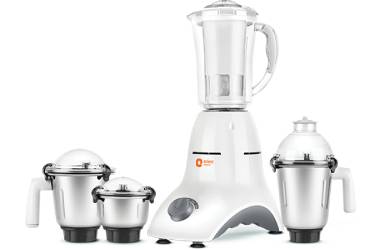
If your mixer grinder is making odd noises, start by unplugging it and looking for loose jars, lids, blades, or screws—you’ll be surprised how often that’s the cause. Work methodically: run quick empty tests, then a small load to isolate the sound, inspect the coupler, shaft, and bearings, and note whether the noise changes with speed. There are straightforward fixes you can try yourself, but some signs mean it’s time to call a technician.
Key Takeaways
- Isolate the noise by testing empty, then with a small load to note when and how the sound occurs.
- Inspect and tighten external parts: jar, lid, blade assembly, rubber feet, and base fasteners.
- Remove jar; manually spin blade and rotor—roughness indicates bad bearings, smooth spin with hum suggests motor windings.
- Check and replace worn coupler, seals, blades, or cracked jars to eliminate vibration and misalignment.
- After repairs, run short low-speed tests, then full-speed checks; stop and consult a technician for electrical or bearing failures.
Identifying the Type of Noise
What kind of noise are you hearing? Start by isolating the sound: run the grinder empty for a few seconds, then with a small load. Note whether the noise is continuous, intermittent, rattling, grinding, humming, or squealing. Record when it occurs — startup, steady speed, or when switching speeds. Check if the pitch changes with load; higher pitch often means bearings or motor strain, while metallic clanks suggest loose parts or broken blades. Listen for location: does it emanate from the jar, lid, base, or motor housing? Visually inspect accessible components for looseness, cracks, or wear without opening sealed motor parts. Use simple tools — a screwdriver to gently tap suspected areas, a flashlight to look for debris, and gloves for handling sharp edges. Keep notes on observations; they’ll guide targeted repairs or provide clear information for a technician, helping you address the fault efficiently and safely. Consider measuring the sound level with a calibrated meter to compare against typical dB(A) measurements and help determine if the noise indicates a bearing or motor issue.
Safety Checks Before You Start
Before you touch anything, unplug the mixer grinder and switch off the power at the outlet to eliminate any risk of accidental start-up. With the unit powered down, methodically check the jar, lid, blades, and base for loose screws, cracked mounts, or wobbling components. Tighten or replace any unsecured parts so you’re not testing the machine with hazards still present. Also inspect the coupler and gaskets for wear or damage, since a worn coupler or gasket can cause vibration and noise during use.
Unplug and Power off
Start by unplugging the grinder and switching off its power at the outlet; don’t rely solely on the machine’s control knob. You’ll want to confirm the cord is fully removed from the socket and that any external switch is set to off. This prevents accidental startup while you work and eliminates stray voltage risk.
- Visual check: ensure the plug is out and the outlet shows no damage or burn marks.
- Test: press the start button after unplugging to verify the motor won’t engage — it shouldn’t, and that confirms isolation.
- Tagging: if others could access the appliance, place a visible note or cover on the unit indicating it’s being serviced.
Proceed only when power is unequivocally removed. Many mixer grinders, especially those with higher power ratings like 750 watts, include overload protection features that can affect troubleshooting.
Inspect for Loose Parts
Now that the power’s off, take a close, methodical look over the grinder to identify any loose or missing parts that could cause noise or become hazards during operation. Start at the jar and lid, then move to the coupling, blade assembly, and base. Gently wiggle components; listen for play or rattles. Check screws, rubber feet, and the locking mechanism. Replace or tighten fasteners with the correct tools; don’t force stripped screws. If you find cracked plastic or worn rubber dampers, mark them for replacement before testing. Keep metal shards and small parts away from the motor area. When everything’s secure, perform a short trial run at low speed while standing clear. Also, always unplug the grinder and wear cut-resistant gloves and eye protection before touching internal parts.
| Component | Check |
|---|---|
| Lid | Seal, clamp |
| Blade | Tightness, damage |
| Coupling | Fit, wear |
| Base | Screws, feet |
| Motor area | Debris, cracks |
Inspecting and Cleaning the Jars and Blades
Although the motor often gets the blame, noisy grinder jars and dull or misaligned blades are common culprits, so you’ll want to inspect each jar and blade assembly carefully for residue, cracks, bent blades, or loose fittings. Work with the unit unplugged and jars removed. Check seals and threads for wear; even small gaps let ingredients shift and vibrate. Clean dried food from corners and around the blade hub; use a soft brush, warm soapy water, and a toothpick for crevices. Dry thoroughly before reassembly to prevent corrosion.
- Visually inspect blades for nicks, bends, or wobble; replace any blade that doesn’t sit true.
- Examine jar bottoms and lids for hairline cracks or worn gaskets; replace compromised parts to stop vibration.
- Reassemble snugly, hand-tighten fittings, and test briefly with an empty jar to listen for abnormal noise.
Keep fingers clear of blades, wear cut-resistant gloves if needed, and never test while wet. A properly functioning appliance should also have overload protection to prevent motor damage if a jam or excessive load occurs.
Examining the Coupler and Drive Mechanism
Now check the coupler for wear: lift the jar and inspect the rubber or plastic coupler for cracks, missing teeth, or excessive play, replacing it if it’s damaged. Then examine the drive mechanism under the base for misalignment, loose fasteners, or wobbling shafts that can cause vibration. Tighten or realign components methodically and test the grinder after each adjustment. Perform regular inspections of seals and gaskets to prevent leaks and ensure safe operation, as part of routine maintenance seal checks.
Inspect Coupler Wear
How worn does the coupler look up close? You should power off and unplug the unit, remove the jar, and visually inspect the rubber or plastic coupler for cracks, chunks missing, glazing, or uneven compression. Check for looseness where it seats on the motor shaft.
- Measure visible wear: compare coupler thickness to a new part or manufacturer specs; note deformed teeth or smooth spots that reduce grip.
- Test fit by hand: gently rotate the coupler on the shaft—there should be minimal play; significant wobble means replacement is needed.
- Safety decision: if material is brittle, split, or allows slippage under light torque, replace the coupler before using the grinder to prevent further damage or injury.
Always unplug the unit before assembling, disassembling, cleaning, or touching blades to reduce risk of electric shock and injury, and keep the area dry to avoid electrical hazards.
Check Drive Alignment
Why does drive alignment matter? You’ll prevent vibration, premature coupler wear, and unsafe wobble by confirming the drive shaft, motor pulley, and coupler sit true. First unplug the unit and remove jar and lid. Visually inspect shaft runout—spin the shaft slowly by hand; it should rotate smoothly without lateral movement. Check that the coupler fits snugly on the motor spindle and the jar coupling seats squarely. If you see gaps or the coupler tilts, loosen mounting screws and realign components, then retighten evenly. For belt drives, ensure belt tension and pulley centers line up; replace a stretched belt. After reassembly, run the grinder briefly at low speed to confirm quiet, even operation. If misalignment persists, consult a technician. Many Morphy Richards models include overload protection which can prevent damage from continuing to run a misaligned drive.
Checking Motor and Bearing Issues
Ever wondered whether the racket inside your mixer grinder is coming from the motor or worn bearings? Start by unplugging the unit and removing the jar so you can access the housing safely. Listen closely with the casing open: a grinding or rumbling that changes with speed often points to bearings; a buzzing or electrical smell suggests motor issues.
- Inspect visually for discoloration, scoring, or metal flakes around the rotor and bearing seats; wear will be obvious and needs attention.
- Manually spin the rotor by hand (while still unplugged); roughness, resistance, or play indicates bearing failure, whereas smooth spin with electrical noise suggests motor windings.
- Check mounting bolts and insulation; loose mounts can mimic bearing noise, and damaged insulation or burnt windings are safety hazards.
If you suspect electrical motor faults, stop and consult a qualified technician; working on live windings is dangerous. For general guidance on matching power to tasks, consider that 750W models often offer a good balance between power and efficiency for tougher ingredients.
Tightening, Lubricating, and Replacing Parts
Ready to get hands-on? Begin by unplugging the grinder and removing jars and lids. Lay out parts on a clean towel so nothing rolls away. Inspect and tighten visible fasteners: jar clamps, base screws, and blade nuts. Use the correct size screwdriver or spanner to avoid stripping heads; torque snugly but don’t overtighten.
Next, address lubrication. If the manufacturer allows, apply a small amount of food-grade grease to the blade spindle and motor shaft bearings; avoid household oils that attract dust. Use a toothpick or brush for controlled application and wipe excess immediately.
For worn parts—blades, sealing rings, coupling—the safest option is replacement. Match part numbers or take the part to a dealer to ensure fit. Replace brittle seals to prevent leaks and damaged bearings to stop noise escalation. Keep a parts tray and take photos during disassembly to guide reassembly. Always reconnect power only after confirming fasteners and replacements are secure.
Also, perform regular inspections of seals, power cords, and removable parts to ensure safe operation and extend the mixer’s lifespan, as part of routine maintenance checks.
Testing After Repairs and Preventive Tips
Once you’ve reassembled the grinder and checked that all fasteners and replacements are secure, run a step-by-step test to confirm the noise issue is resolved and that nothing’s vibrating loose. Start with a short, unloaded run at low speed to listen for unexpected sounds and watch for wobble or heat buildup. If it sounds steady, increase to normal operating speed for one minute, then stop and feel the casing and motor for warmth. Record any recurring clicks, hums, or grinding.
- Run low speed (10–20 seconds), inspect seals and mounts visually and by touch.
- Run normal speed (60–90 seconds), note vibration points and listen for new or returning noise.
- Test with a light load (soft food) for one minute, confirm bearings and couplings stay quiet.
For preventive care, schedule periodic lubrication, torque checks, and cleanings. Always unplug before inspections and use protective gloves when handling sharp components.
When to Call a Professional
If your step-by-step tests still show persistent knocking, grinding, overheating, or intermittent power, it’s time to contemplate professional help rather than continuing repairs yourself. You should stop using the unit, unplug it, and avoid further inspection that could void warranties or risk shock. Call a qualified appliance technician when you detect electrical smells, sparking, exposed wiring, or when bearings and motor mounts are fused.
Bring these facts to the technician: recent repair history, noise description, and test steps you’ve performed. Ask about certifications, warranty on work, and estimated diagnostic fees. If the grinder is older than 10 years or repair costs exceed replacement value, consider replacing it.
| Symptom | Risk Level | Recommended Action |
|---|---|---|
| Sparking or burning smell | High | Unplug, call technician immediately |
| Overheating motor | Medium | Stop use, schedule service |
| Intermittent power | Medium | Document tests, consult pro |
Frequently Asked Questions
Can a Noisy Grinder Damage My Cookware or Countertops?
Yes — if it vibrates excessively, it can scratch, chip, or loosen cookware and damage countertops; you should stop using it, stabilize the unit, check for loose parts or worn mounts, and repair before further use.
Will Running the Grinder Empty Harm the Motor?
No — running the grinder empty briefly won’t usually harm the motor, but don’t do it often. You should avoid prolonged no-load runs, monitor for overheating or unusual vibration, and shut off immediately if temperatures rise or smells appear.
Are Aftermarket Blades Compatible With My Model?
Often yes, but you’ll need to check fit, shaft size, and blade mounting; confirm material compatibility and RPM rating, ensure secure fastening, and verify sealed bearings to prevent leaks. If uncertain, consult manufacturer specs or a technician.
Can Noise Be Caused by Voltage Fluctuations?
Yes — voltage fluctuations can cause hums, buzzing, or inconsistent motor speed. You’ll check supply voltage with a multimeter, use a surge protector or stabilizer, and avoid operating during known brownouts to reduce noise and protect the motor.
Does Warranty Cover Noise-Related Repairs?
Sometimes — if the noise stems from manufacturing defects or covered parts, your warranty will pay; if it’s from wear, misuse, or external causes like voltage issues, it likely won’t. Check terms, keep service records, follow safety steps.